


E@elmerabapobeats
Built with beatmakers · from VochleaBeatbox in.
Beatbox in.
Drum loops out.
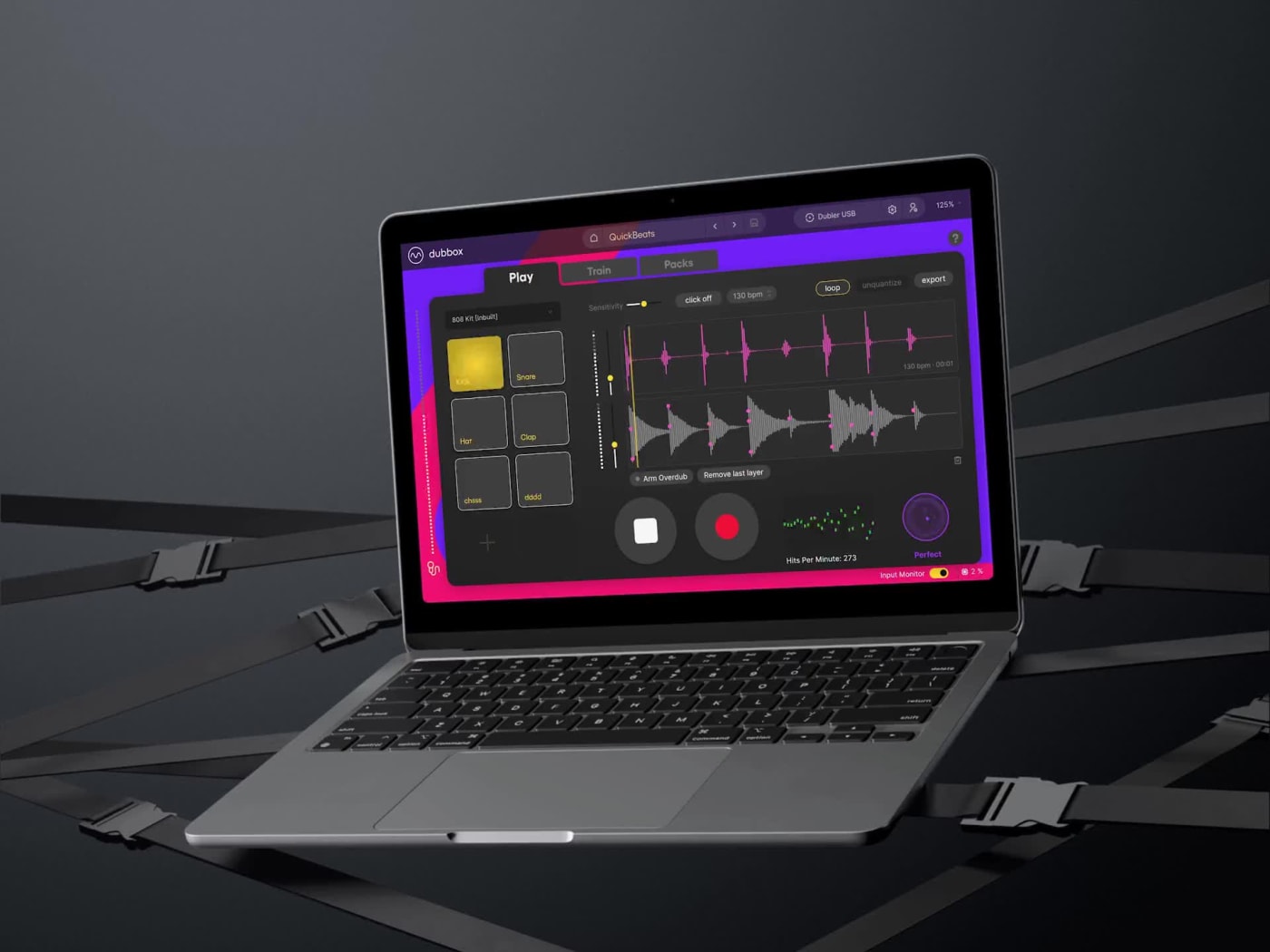
DubBox translates your voice into drum samples, live. Train it on your own kicks, snares and hats, then perform, layer up loops and export. No studio. No DAW. Just your voice.

DubBox Software
Instant download14-day money-backFree updates
Standalone appmacOS & WindowsNo DAW needed
Recommended add-on
Total$59
View DubBox Overview
Hear it blend
Auto Quantize
Drag to blend your raw voice with the beats DubBox makes from it.
Three moves
From mouth to loop in minutes
1
Train your sounds
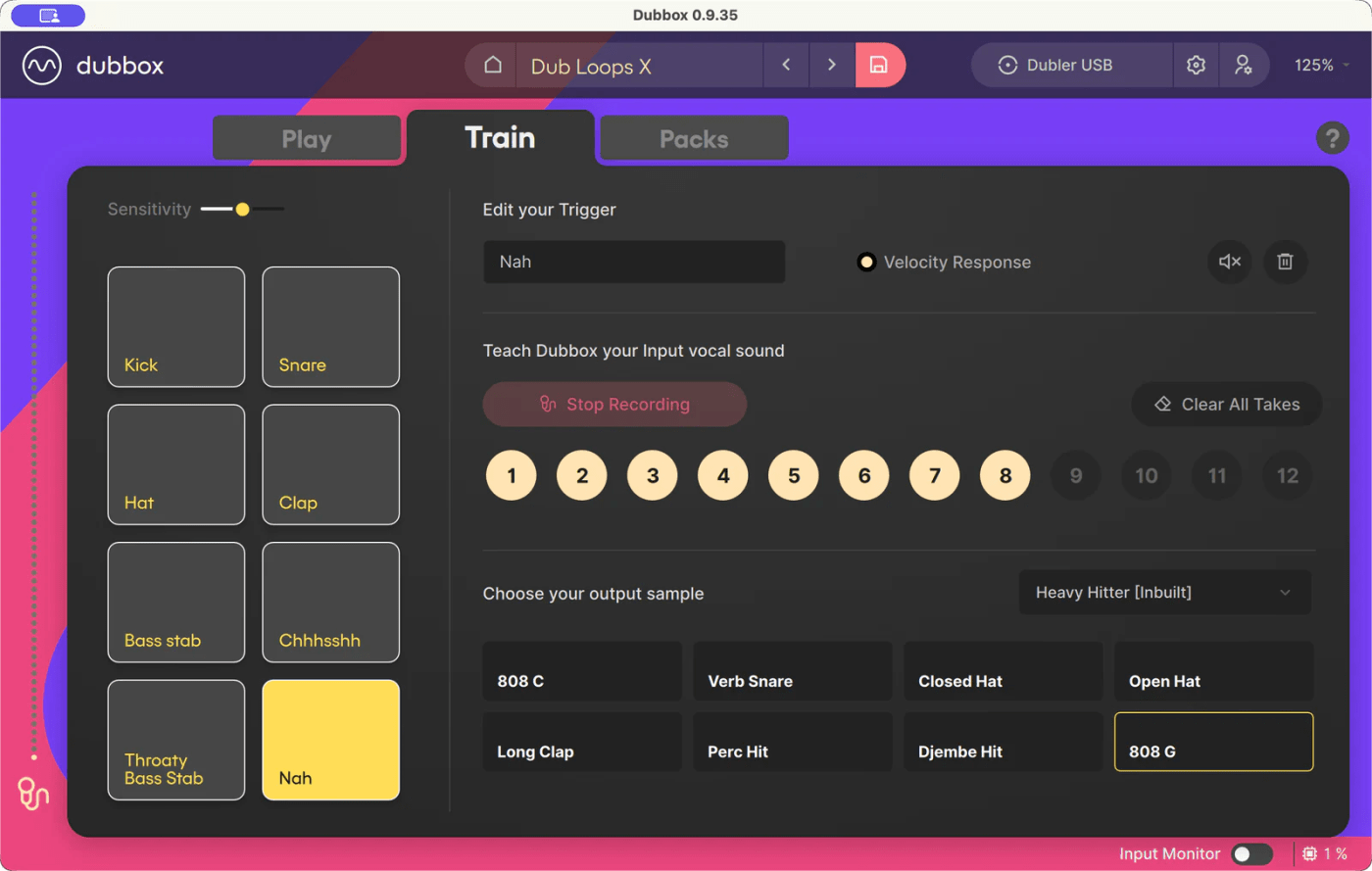
Record up to eight of your own vocal hits: kick, snare, hat, or whatever you can make. DubBox learns each one and flags any takes that don't match.
2
Beatbox your pattern
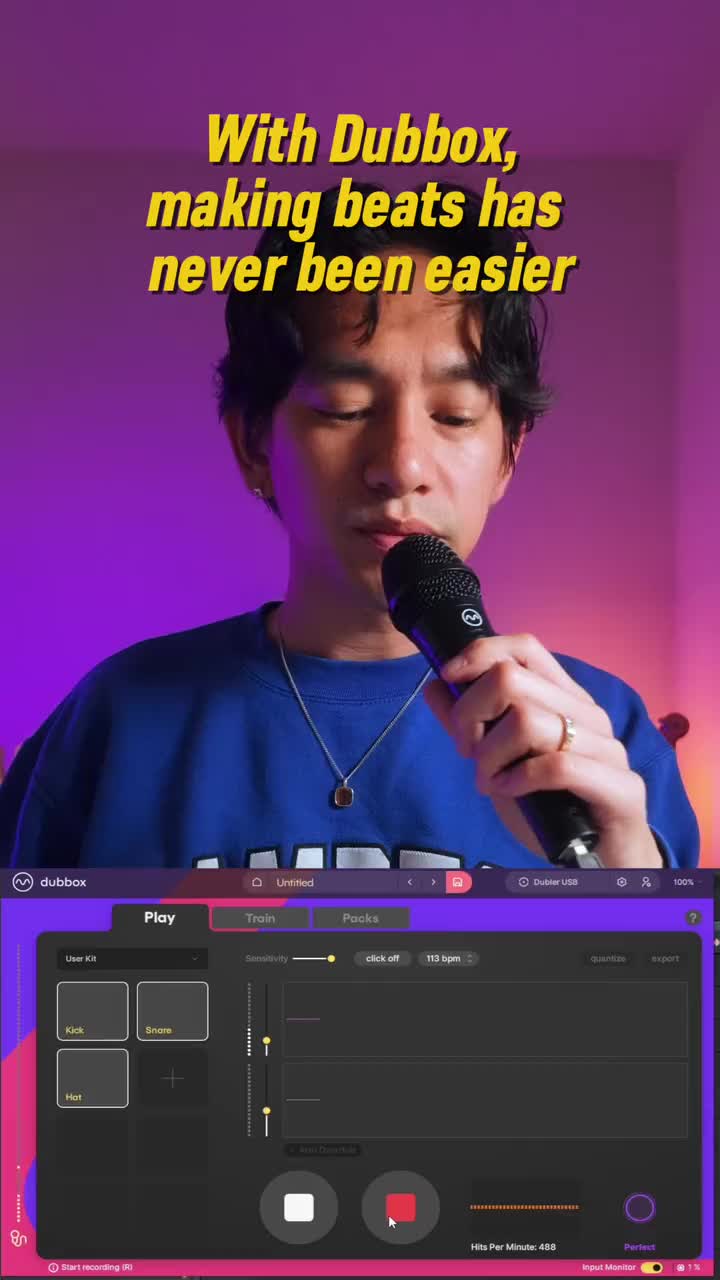
Stream your ideas with your voice. Every vocal sound fires a drum sample in real time. Blend it with your own voice however loud you want it.
3
Record, tighten, layer & export
Record both voice and sample track. Smart quantise locks you to a grid. Loop and layer with overdub. Play it back live, or export the audio and MIDI as a DAW ready loop.
In the wild
Beatmakers are on it
Creators are turning their mouths into drum machines with DubBox. Hit play and see it go.

Z@zachary_aghaizu

P@paigezilba
E@elmerabapobeats
Your voice, your kit
Train eight
vocal triggers
DubBox maps the sounds you already make to any drum sample you like. Build a profile, teach it your hits with a few takes each, and pick the output kit, from punchy 808s to anything you drag in.
- Up to 8 triggers per profile, multiple profiles
- Smart training flags inconsistent takes
- Trigger multiple samples per input sound
Voice warping
Your actual
voice, on grid
Freely record your vocal track and live sample track. And with smart quantisation - DubBox will time-stretch your recordings to a consistent grid. What you hear is exactly what you recorded, just locked in time at a consistent BPM. Your vocal audio and sample track are now loop and DAW ready.
- Real voice, time-stretched and on beat
- Grid detected from your performance - keeping human swing
- Takes lock to a clean whole-number BPM

Overdub layering
Stack it
up
Lay down a loop, arm overdub, and stack your rhythms. Build the kick, drop the snare, add the hats, pass by pass. Each pass builds up both your raw voice and the sample track. Saved in your project and ready to export.
- Auto punch-in / punch-out, one pass at a time
- Undo Layer to peel off the last take
- Layers are auto quantised into the beat

Make it yours
Editable
drum kits
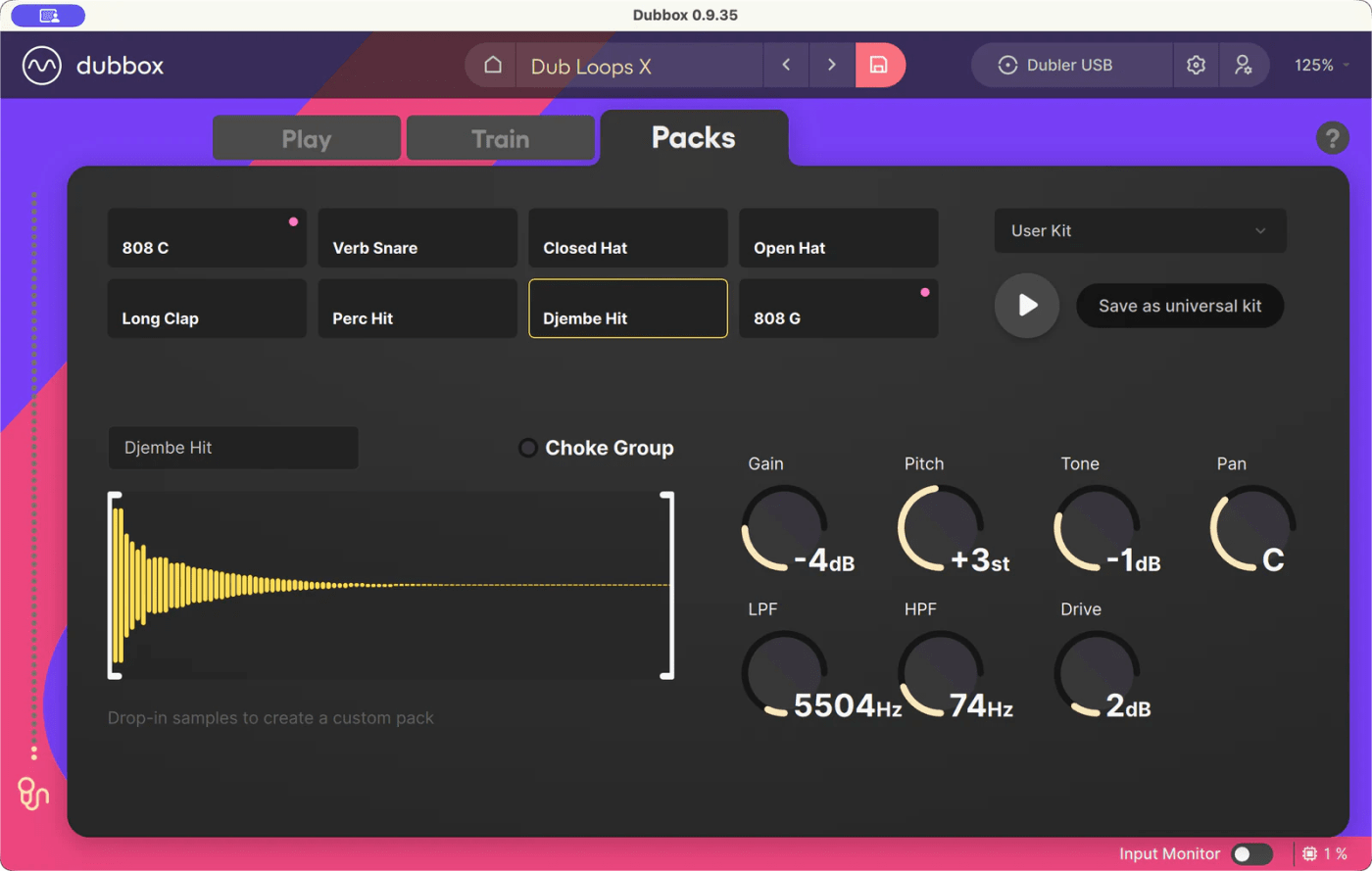
Drag any sample onto a slot to build a custom pack. Shape every hit with gain, tone, pan and pitch, trim the start and end, and save kits to one profile or share them across all of them.
- Drag-and-drop samples into any slot
- Per-sample gain, tone, pan, pitch & trim
- Save kits locally or globally
Everything in the box
Built for beatmakers
Voice and Sample Layering
Loop your recordings and overdub additional layers and samples with auto punch-in/out.
Voice warping
Quantise your voice to get free-take vocals auto-aligned to a consistent BPM. Perfect for looping.
Smart quantize
Smart quantize will nudge your take onto a constant DAW ready grid, without losing the human expression.
Metronome & count-in
Set a count-in or continuous click to guide you during recording, combine with smart quantise to get everything perfectly in phase.
Keyboard transport
Space, R, L and Esc drive record, loop and stop, each with on-screen tooltips so the controls stay obvious.
Record, loop & export
Capture takes as audio or MIDI, layers included, loop them to build ideas, and drop them into any DAW.
Editable kits & packs
Drag in samples and shape gain, tone, pan, pitch and trim, plus new built-in kits: HardBass, Break Concepts & House Chords.
Voice-trained engine
Train up to eight of your own vocal hits per profile: kicks, snares, hats, anything you can make.
Fully standalone
Everything happens inside the app. No DAW, no plugins, no setup maze. Open the app and start making beats.
Where it fits
DubBox vs. Dubler
Both tools bring your voice into a music production workflow but each with a different focus. DubBox is a beat maker. Use it to create finished beats: voice, sample and MIDI loops - made in the app and ready to use. Dubler is the ultimate vocal MIDI controller - live control synths, software instruments, sample packs and effects in your DAW using your voice.
| What it does | DubBox | Dubler 2 |
|---|---|---|
| Made for | Beatmakers, loopers & percussive vocalists | Digital musicians, vocalists & producers |
| What it is | A standalone beat studio | A live MIDI controller |
| Where sound is made | Inside the app | In your DAW / instrument |
| Sound type | Percussion only | Pitched + percussion + effect control |
| DAW required | No | Yes |
| Record, loop & export | Audio + MIDI | No |
| Editable drum kits | Yes | No |
| Live MIDI output | Export only | Core feature |
| Speed & Precision feedback | Live | No |
Loved by beatmakers
Don't take our word
“DubBox is incredibly easy to pick up, fast and fun to use, and lets you turn beatboxing into music without even opening a DAW. A really refreshing approach!”
“DubBox introduces ease into my music production workflow. It allows me to be in the moment, create the grooves that are my own, and feel good about the variety of creation happening right then and there!”
“I believe DubBox is one of the best applications because it captures the rhythmic imagination and provides a digital blueprint that can be interpreted and manipulated like red clay on a magnificent sculpture displayed.”
“For me, DubBox is a game-changer allowing me to capture the audio of my hummed melodic basslines along with preserving and 'MIDI-fying' the most essential parts of my beatboxed grooves. Testing the beta was fun, yet as I master this plugin I will have a plethora of beats and new tracks to drop directly into my DAW ready for production! Thank you Vochlea!”
“Finally, the universe (i.e., Vochlea) has provided me with the perfect way to use beatboxing to add drums to my music production, without needing to buy any new hardware! DubBox does exactly what I’d like it to do and more, and it’s a pleasure to use. Boots and cats and boots and cats for everyone!”
“DubBox is most intuitive in using for a Beatboxer. It’s a perfect tool for combining Human Beatbox with ideas for developing structures of musical instruments for basically any musical compositions. I’m in love with DubBox.”
“A basic but solid app with a very friendly and intuitive interface. Really looking forward to future updates!”
“DubBox has made me rethink what’s possible in live performance as a beatboxer!”
Get DubBox
Your mouth is the
drum machine
Buy once, beatbox forever. Train it on your voice today and start turning bars into loops in minutes.
DubBox
Standalone beatbox studio for macOS & Windows
- Full app with every built-in sound kit
- Overdub layering, voice warping & smart quantize
- Audio + MIDI export, free updates
$59.00
one-time · VAT included
14-day money-back guaranteemacOS & WindowsFree updates
Before you buy
Questions?
Do I need a DAW or any other software?
No. DubBox is fully standalone: training, performing, recording, looping and exporting all happen inside the app. You don't need a DAW, plugins or any extra software to make beats.
What do I need to run it?
A Mac or Windows computer and a dynamic microphone. Mac — macOS 12+ and 8GB RAM, plus a dynamic microphone. Windows — Windows 10+ with 8GB RAM and a 2015-or-newer Intel i5 CPU (or equivalent), plus a dynamic microphone and an audio interface with ASIO drivers (recommended).
How many sounds can I train?
Up to eight vocal triggers per profile: kick, snare, hat, or any other percussive input sound (beatboxing or even click, clap and tap). You can build multiple profiles. DubBox even flags inconsistent takes so your triggers stay tight.
Can I use my own samples?
Yes. Drag any sample onto a kit slot to build a custom pack, then shape each hit with gain, tone, pan and pitch. Save kits to one profile or share them across all of them.
Can I get my beats into my DAW?
Absolutely. Export any take as audio (your voice, the drums, or a mix) or as a MIDI track you can drop into another DAW to swap kits and build it out further.
Can I build a full beat, not just one loop?
Yes, that's what overdub layering is for. Lay down a loop, arm overdub and DubBox punches in and out automatically so you can stack kick, snare, hats and more, pass by pass. Undo Layer removes the last pass, and every layer saves with your project and exports with it.
Does quantizing make me sound robotic?
No. With voice warping, quantized takes play back and export as your actual voice, time-stretched onto the grid, so what you hear is exactly what you recorded, just locked in time. The grid is even detected from how you really played.
How is this different from Dubler?
DubBox makes finished beats inside the app; Dubler is a live MIDI controller that drives other software with your voice.
What if it's not for me?
You're covered by a 14-day money-back guarantee. Try DubBox, train it on your voice, and if it's not for you we'll refund you, no fuss.