

MIDI in. Every hit built live.
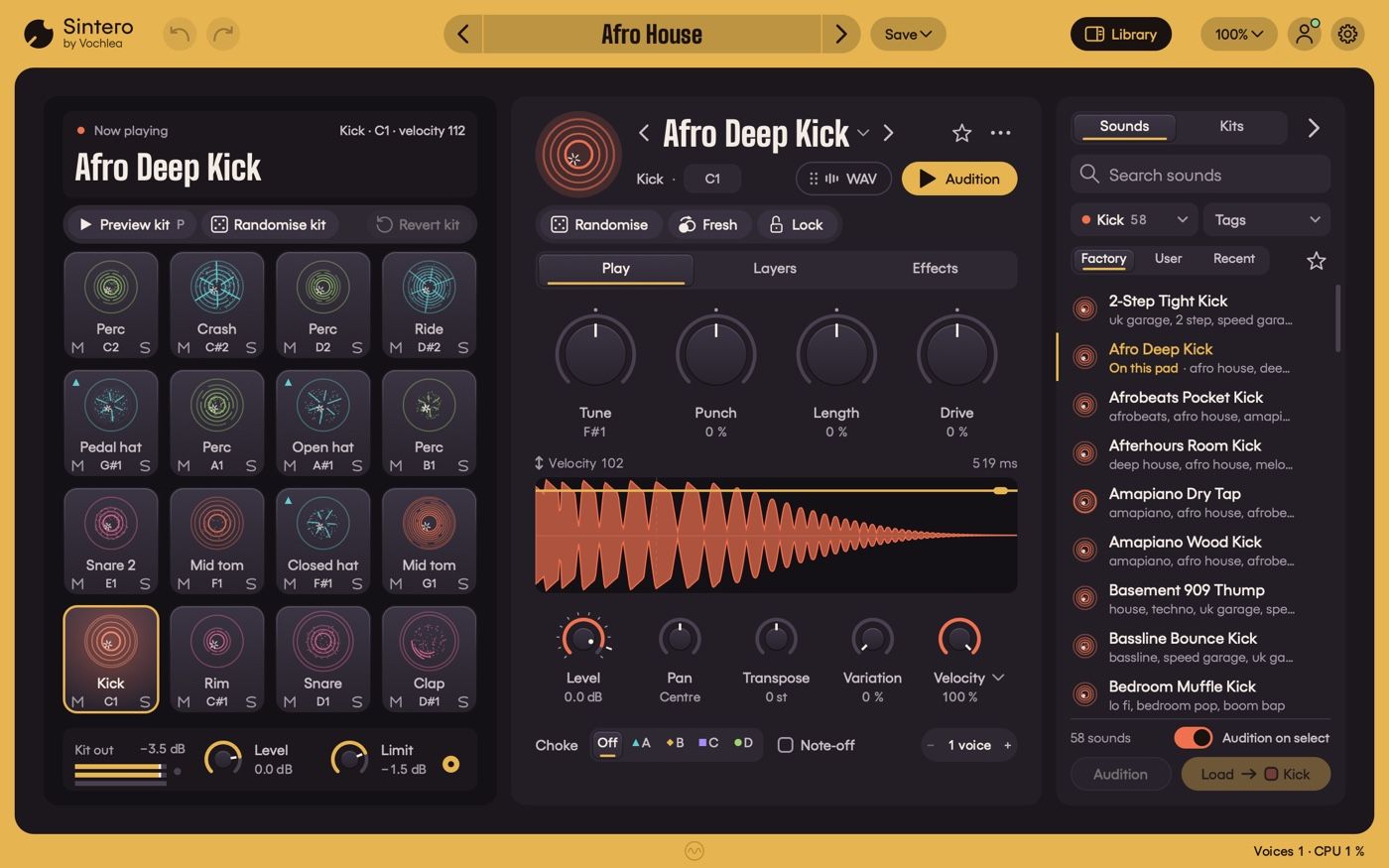
Sintero is a drum-synth plug-in for your DAW: VST3 and Audio Unit on Mac, VST3 on Windows. It gives you 16 pads, and each hit is built live as you play it - from synth layers, with a real recorded hit in the mix on some sounds - so every sound stays open for editing. Pick from 25 genre kits and 436 factory sounds - kicks, 808s, snares, hats, cymbals, toms, percussion and FX - then shape each one until it sits right in your mix.
How it works
Put Sintero on an instrument track and play it over MIDI, from a keyboard, a pad controller or a clip in your DAW. Out of the box, pads 1 to 16 sit on notes C1 to D#2.
Pick a kit, and four macro dials on each pad get you most of the way. When you want to go deeper, every sound is built from up to eight layers and a twelve-stage effects chain, all open for editing. Your sounds, your edits, your note map and your routing are saved with your DAW project, so a session opens sounding the way you left it.
The stage - play, preview, mute
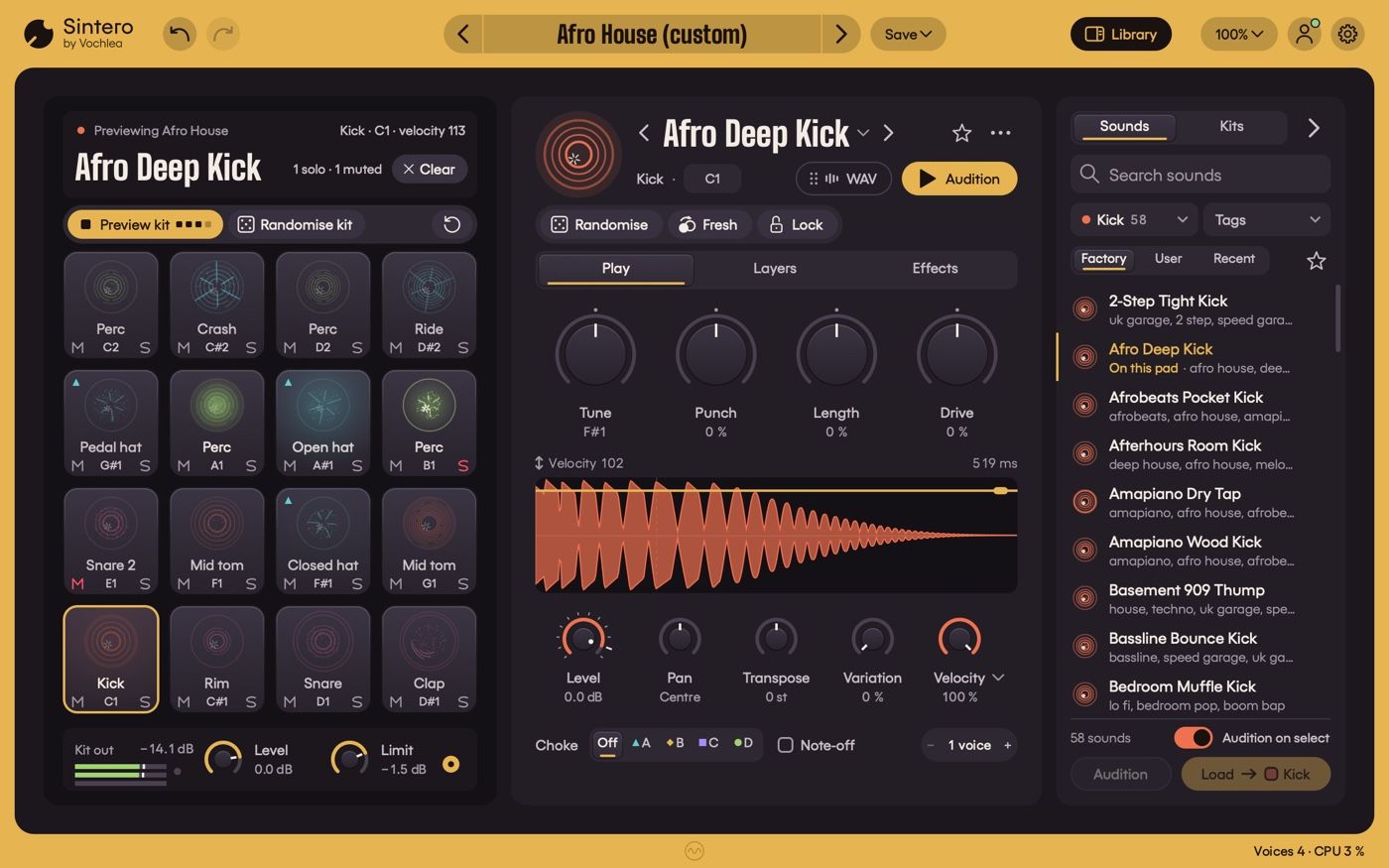
The left side of the window is where you play. A now-playing display shows what you just hit - pad, note, velocity and sound - and the 4 x 4 pad grid lights up beneath it.
Click to play - clicking a pad plays and selects it; click near the top for a hard hit, lower down for a softer one
Head prints - every pad gets a picture of its own sound, like a drum head seen from above, and it blooms when you hit it
Preview kit - press P to hear the kit's demo loop at its own tempo, so you can audition a whole kit without writing a note
Mute, solo and choke - M and S chips on every pad, plus four choke groups (A to D), so an open hat cuts off when the closed one lands
Drag and swap - drag sounds from the library onto pads, or drag one pad onto another to swap them (hold Alt to copy instead)
Kit out - a stereo meter, a Level dial for the whole kit and a true-peak limiter on the main output, with a Limit dial to set its ceiling
The Play tab - shape the hit
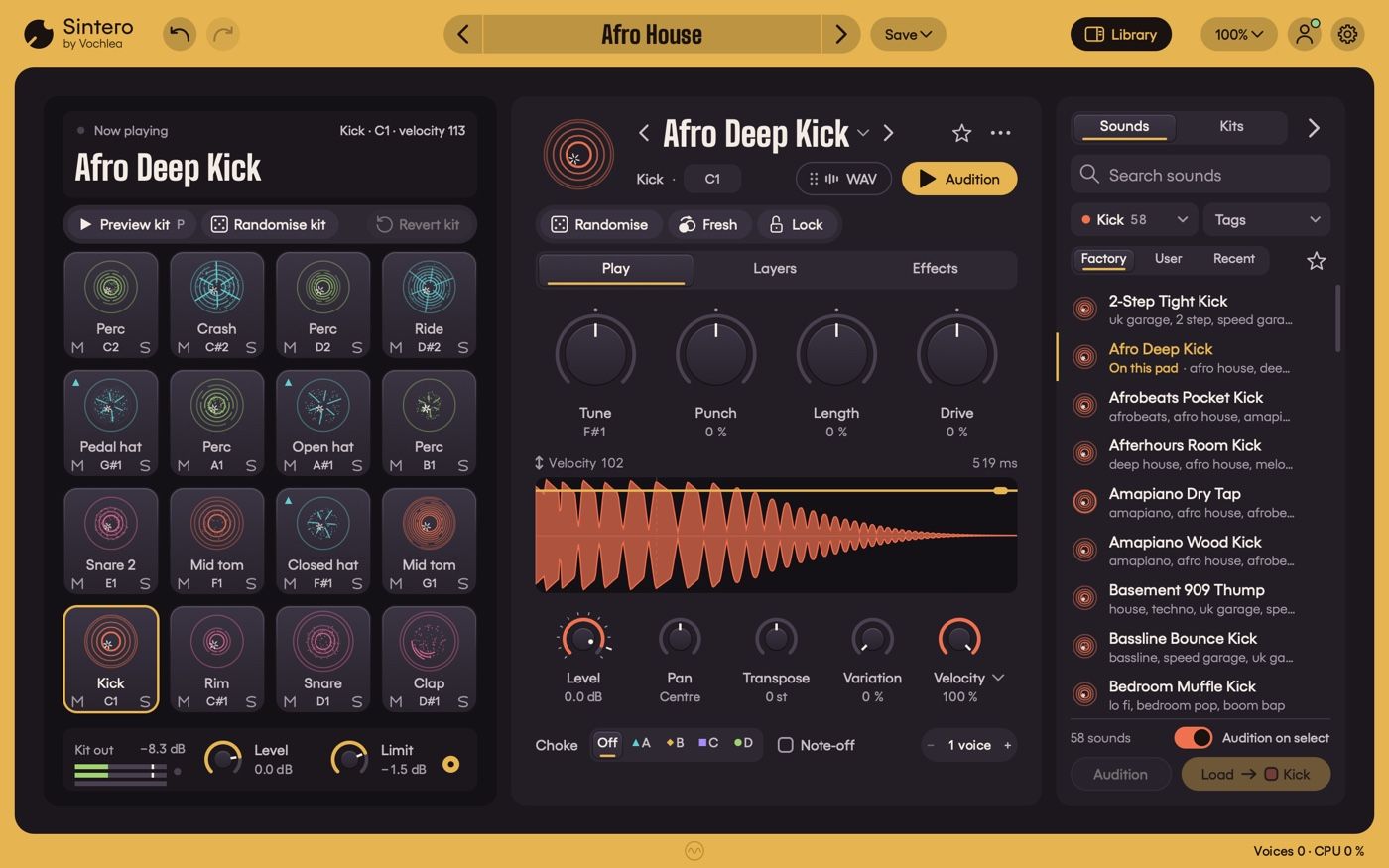
Select a pad and the Focus panel in the middle shows its sound. The Play tab is home, and for plenty of people it's the only tab they'll need.
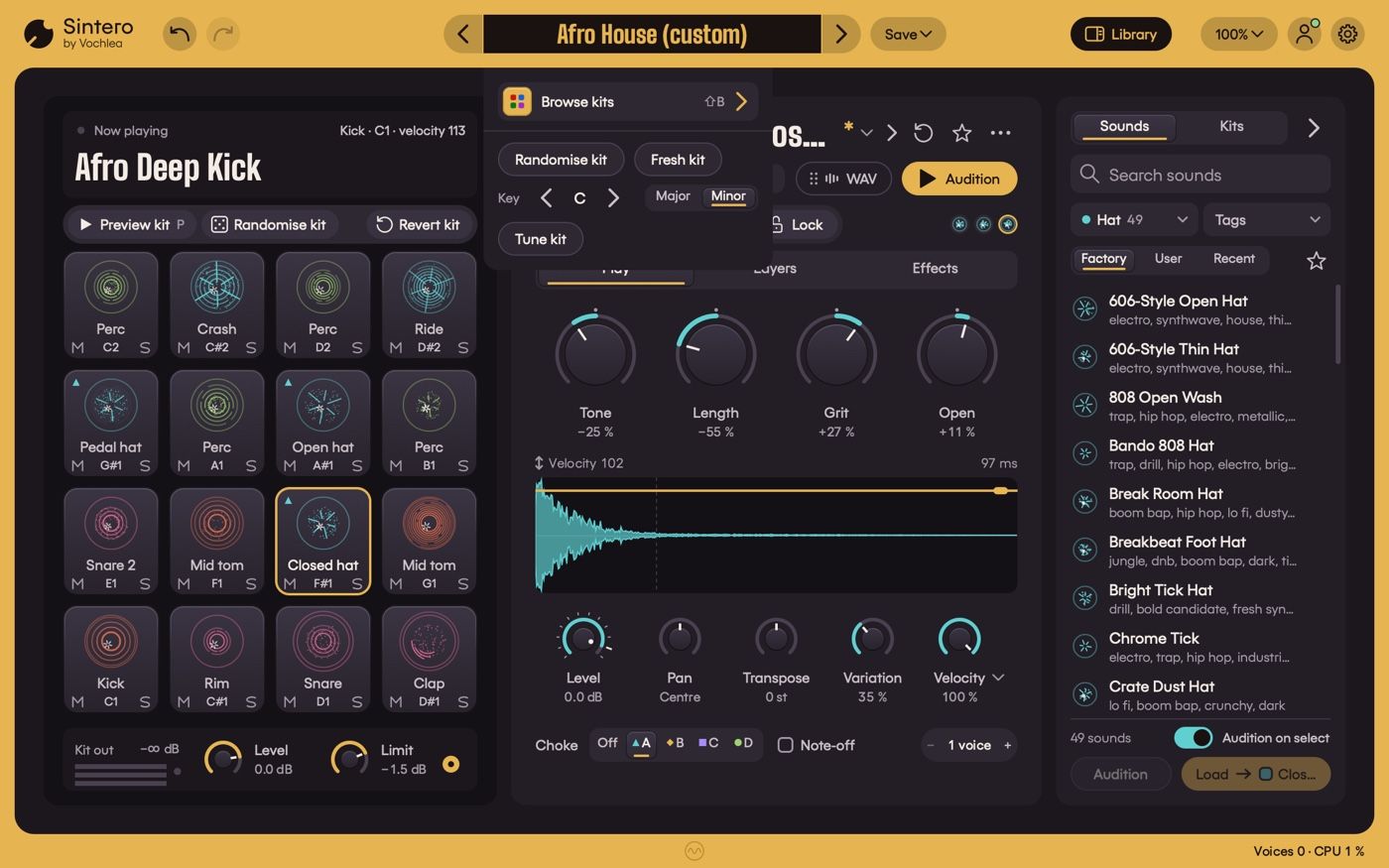
Four macro dials - named for each sound, so most kicks get Tune, Punch, Length and Drive and most hats get Tone, Length, Grit and Open; the centre is the sound as designed, and both ends go a long way
Hit view - a waveform of the hit; drag up or down on it to hear the sound at another velocity
Level, Pan and Transpose - the essentials, with Transpose naming the actual note on tuned drums so your 808 lands in key
Variation - a little life on every hit, so repeats don't sound copy-pasted; play the part again and it varies in exactly the same way
Velocity response - set the sensitivity, pick a Soft, Linear or Hard curve, or fix every hit at 127
Choke, note-off and voices - put the pad in a choke group, choke it on note-off for pedal hats, and set how many hits can ring at once (one to eight)
Learn MIDI CC - right-click any macro dial to put it on a knob on your controller
Variations - let Sintero have a go
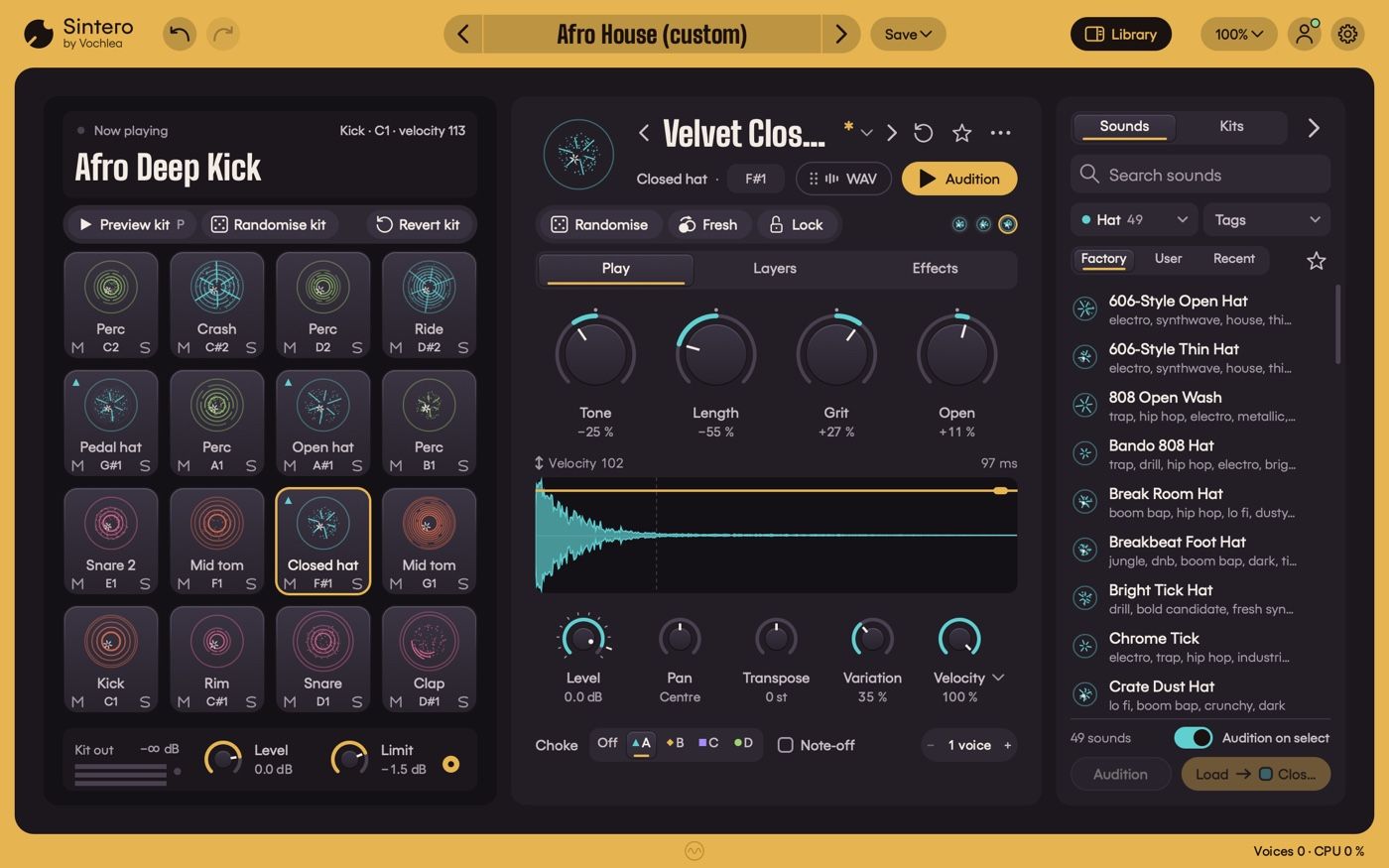
Stuck on a snare? Sintero can come up with new versions of it, and you keep the ones you like.
Randomise (or press G) - a new, varied version of the sound on the selected pad
Fresh (or press N) - a new take on the same sound, with the dials back in the middle
History - the last eight versions sit as chips under the sound's name; hover to hear one, click to bring it back
Lock - Randomise, Fresh and Tune kit leave a locked pad alone; lock a single layer and Randomise and Fresh leave just that layer alone
Whole-kit tools - click the kit name for Randomise kit, Fresh kit and Tune kit, which moves each unlocked kick, 808 and tom the shortest way onto the key you choose, major or minor
Undo, Redo and Revert - Undo and Redo sit beside the Sintero logo (or press Cmd/Ctrl+Z); Revert pad puts a sound back the way the kit has it, and Revert kit takes you back to the factory kit or your last save
Layers and Effects - build it, then finish it
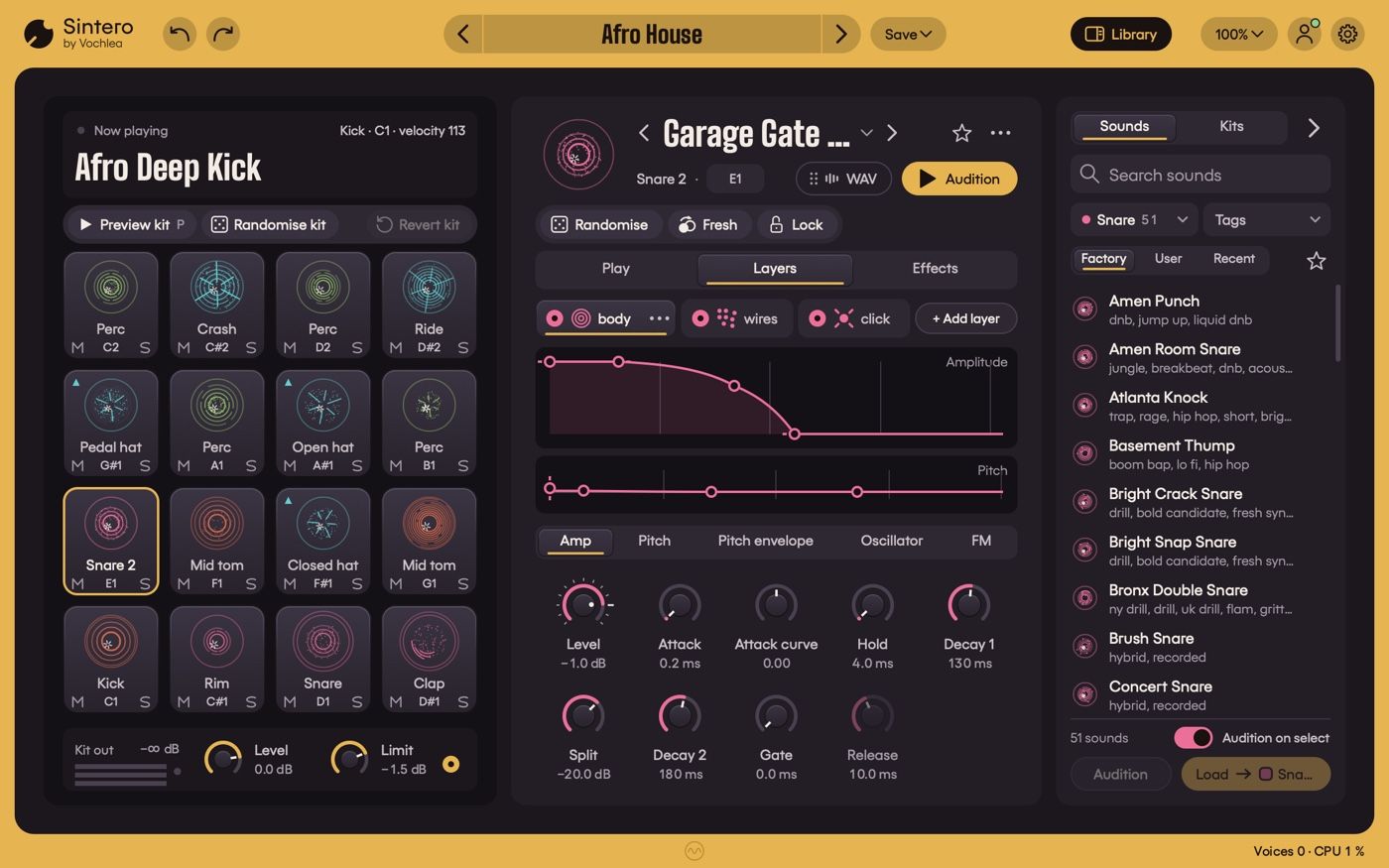
Every Sintero sound is a stack of up to eight layers, and you can see and change all of them.
Six layer types - Tone, Noise, Metal, Transient, Body and Boom; add, remove, reorder or switch layers off, or Alt-click to solo one
Envelopes you can grab - amplitude and pitch envelopes with draggable points, and a playhead that follows the hit
Dials in groups - each layer's controls are grouped, Amp always first, so you're never hunting
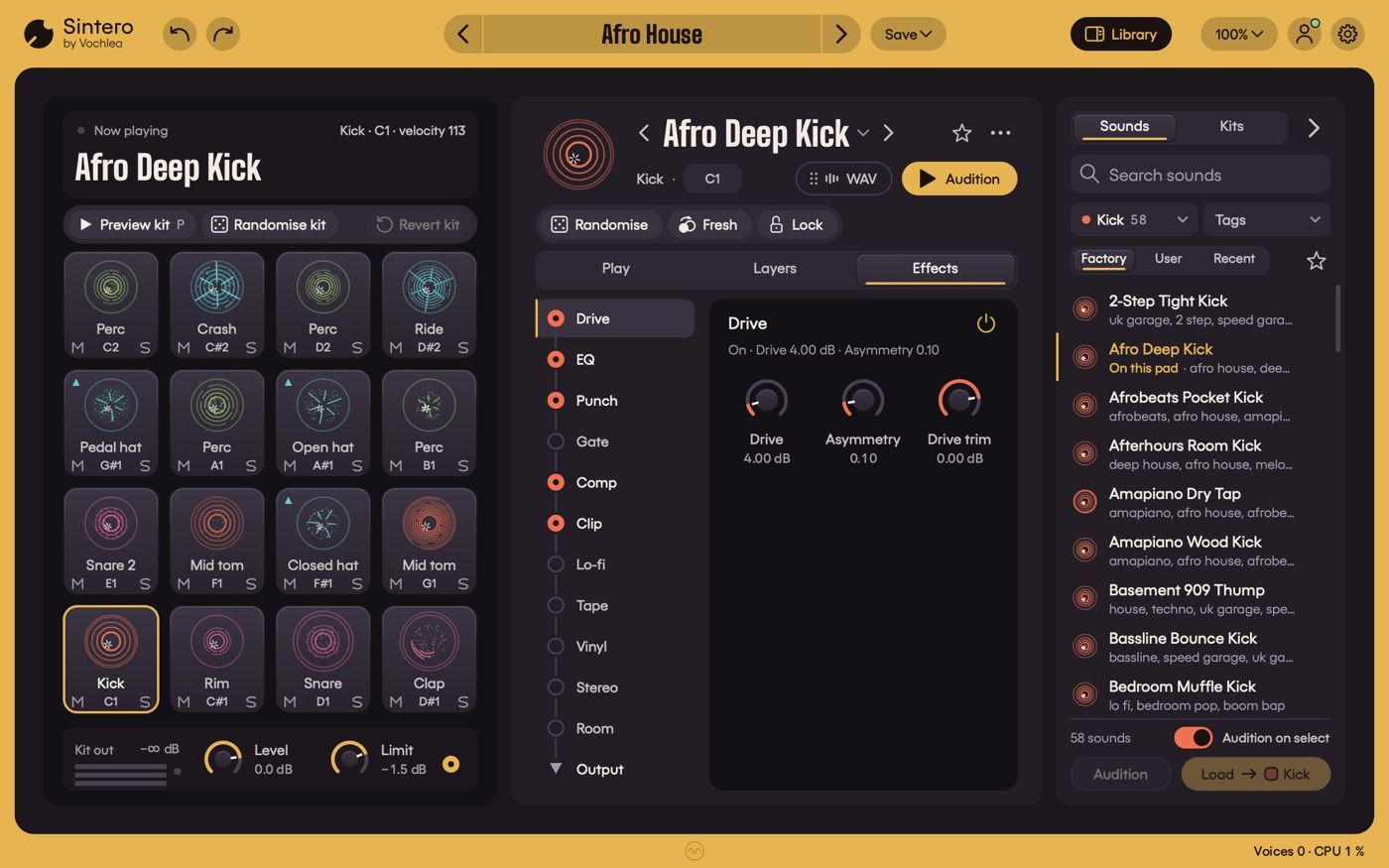
The Effects tab then finishes the sound with twelve stages in a fixed order: Drive, EQ, Punch, Gate, Comp, Clip, Lo-fi, Tape, Vinyl, Stereo, Room and Output. Each stage keeps its level when you switch it on, so you're hearing the effect rather than just more volume. Output always ends with a true-peak limit.
The library - find, audition, save
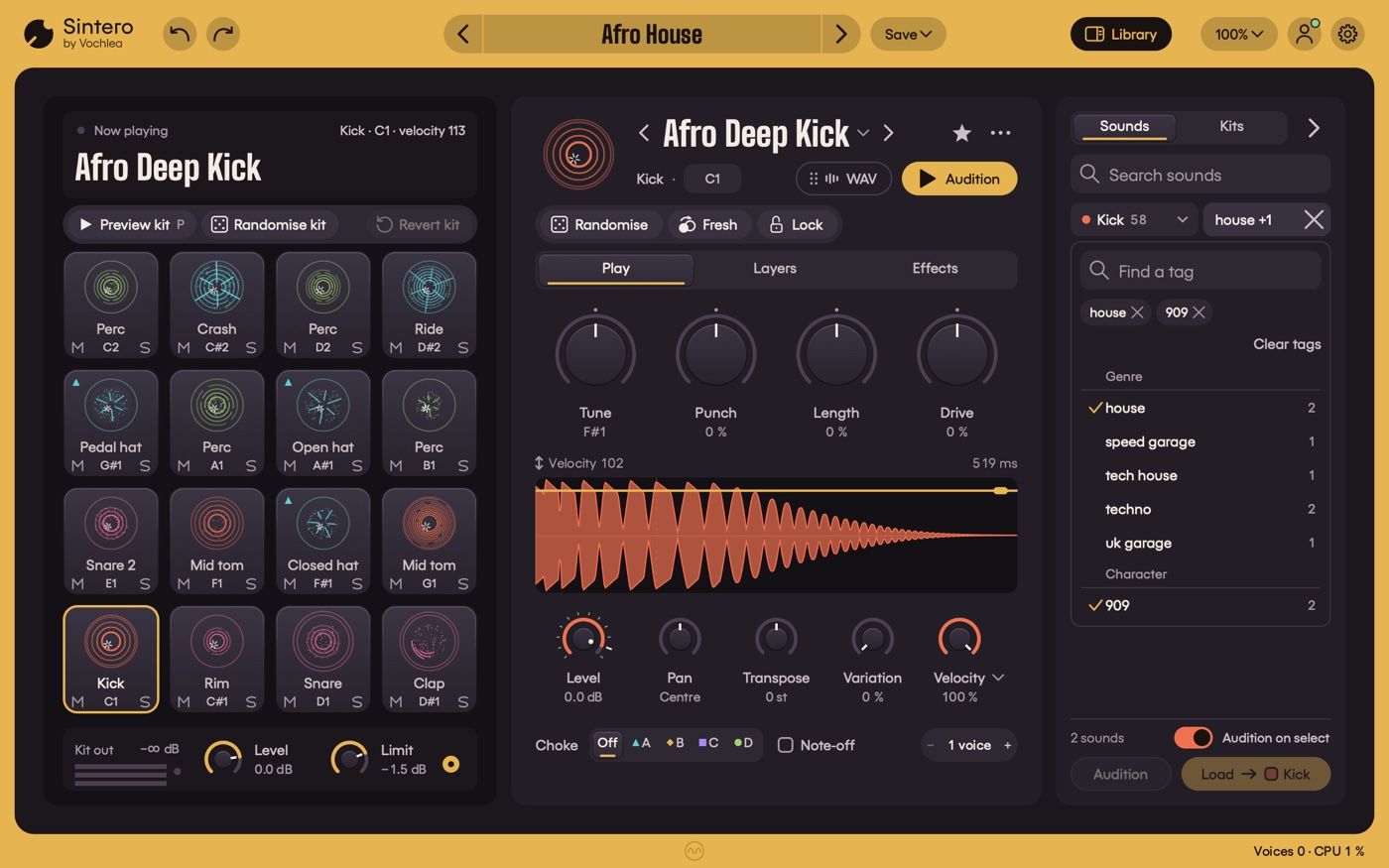
The library docks on the right. Press B to hide it and give the pads and dials more room.
Sounds - 436 factory sounds in eleven families (Kick, 808, Snare, Clap, Rim, Hat, Cymbal, Tom, Perc, World and FX); click or arrow through them to audition on the selected pad, and double-click to load
Tags - filter by genre and character, several tags at once, or search by name or tag
Kits - 25 genre kits, from House, Techno and Afro House to Boom-bap, Drill, Amapiano, Acoustic Rock and Orchestral; loading a kit swaps the sounds and never touches your MIDI notes or routing
Favourites and Recent - star anything you like, and find what you've used lately under Recent
Your own sounds and kits - save a pad sound (or press Cmd/Ctrl+S) or a whole kit and it appears under User, kept as plain files in Documents/Vochlea/Sintero unless you choose another folder
Edits are kept - switch from your tweaked Techno kit to House and back, and your Techno edits are still there
Drag a hit out - drag the selected pad's hit from the Focus panel straight onto a DAW track as a 24-bit WAV, or click to save it
MIDI and outputs - fit it into your DAW
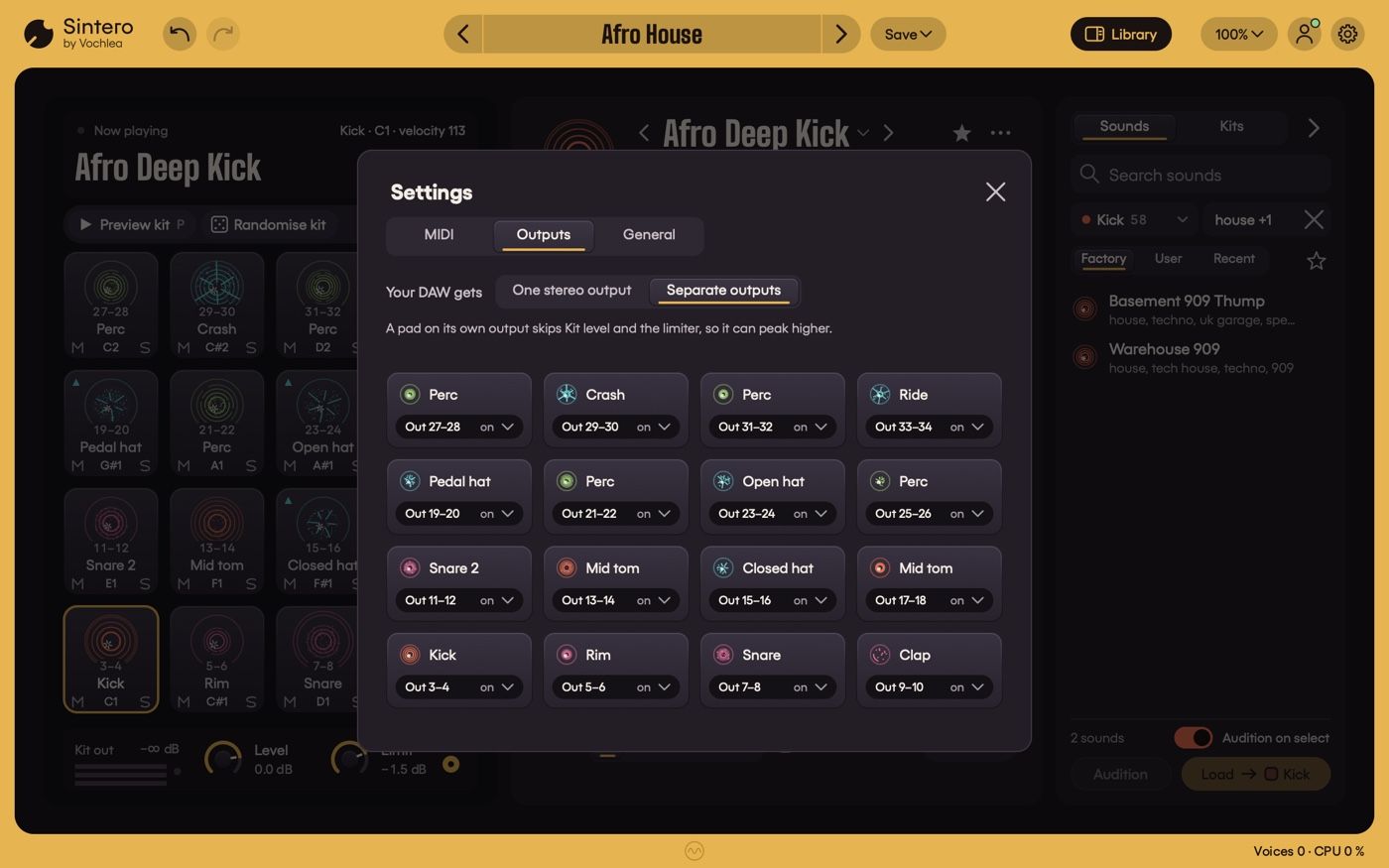
The gear icon opens Settings, with three tabs: MIDI, Outputs and General.
Note maps - Chromatic C1 (the default) or GM drums, or set any pad's note yourself; press L to learn a note from your controller
MIDI channel - listen on all channels, or just one
Separate outputs - send each pad to its own stereo output (up to 16) and mix the kit in your DAW; one click gives every pad its own output, and those pads skip the kit's Level dial and limiter
Automation - every pad's macros, Transpose (listed as Tune in your DAW), Variation, Level, Pan and Mute, plus the kit level; the lanes have generic names, so they keep working when you change kits
General - language, tooltips and Reduce motion are set once for this computer; Follow MIDI, and whether a pad plays when you change a setting, are saved with each project
Every control shows its keyboard shortcut in its tooltip. Click the plug-in window once first, so your keys go to Sintero rather than your DAW.
Sintero and DubBox - what's the difference?
Both make drums, but they're very different tools. DubBox is a standalone app: you beatbox into a mic, and it turns your voice into drum loops you can record, quantize and export. Sintero is a plug-in that lives inside your DAW and is played over MIDI. It doesn't listen to your voice - it's a drum synth for designing and playing the sounds themselves.
At a glance
What it is - Drum-synth instrument plug-in with 16 pads; every hit built live from synth layers, with recorded hits blended into some sounds
Formats - VST3 and Audio Unit on Mac; VST3 on Windows. No standalone app
Systems - macOS 10.15 or later (Intel and Apple Silicon); Windows 10 (version 1903) or later, 64-bit.
Sounds - 25 genre kits, 436 factory sounds in 11 families, up to 8 layers per sound from 6 layer types, 12-stage effects chain
Control - 4 named macros per pad with MIDI CC learn, velocity curves, choke groups, Randomise / Fresh / Lock, Tune kit
MIDI and routing - Chromatic C1 or GM drums note maps, all channels or one, 16 separate stereo outputs, 145 automatable parameters
Languages - English, German, Spanish, French, Italian, Japanese, Korean, Simplified Chinese
Licence - Log in with your Vochlea account. Internet needed to activate; after that, works offline for at least 30 days after each successful licence check.