
Beatbox in. Drum loops out.
DubBox is a standalone music-making app that turns your voice into drum loops. Beatbox, click, clap or make any percussive sound into a microphone, and DubBox translates it into drum samples in real time.
How it works
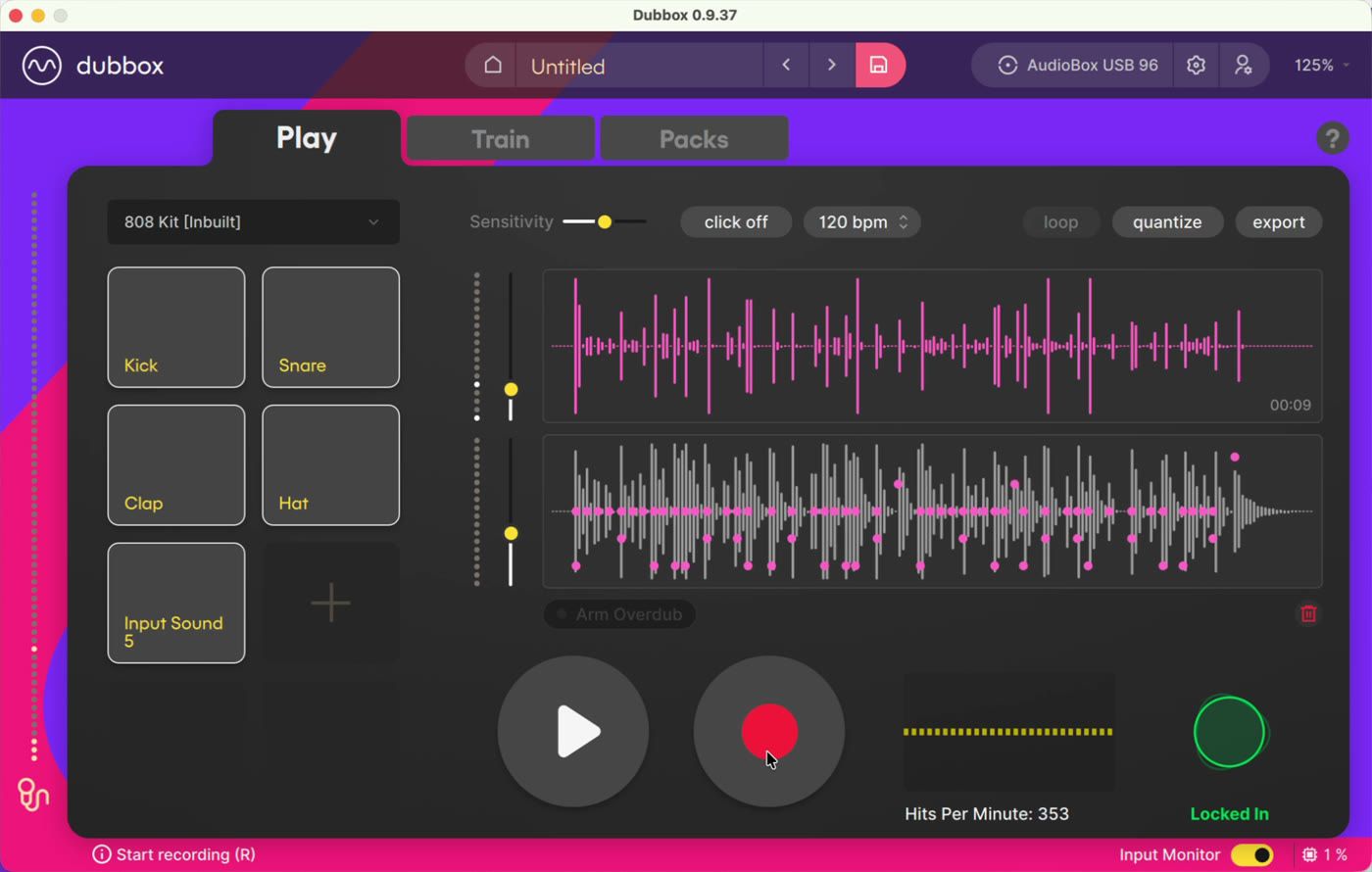
You teach DubBox triggers - short vocal sounds, each mapped to a drum sample. Then you just perform. DubBox listens, recognises each hit, and fires the right sample as you go, in real time.
You can record your voice and the accompanying sample track, quantize it, loop it, layer on top, and export the result as audio or MIDI for use in any music project.
The Play tab - perform, record, quantize
The Play tab is home. Your trigger pads light up as DubBox recognises each sound, and two live meters keep you honest: Hits Per Minute (literally how many trigger sounds you make per minute) and a precision meter that reads Locked In when you're tight on the grid and Loose when you're swinging.
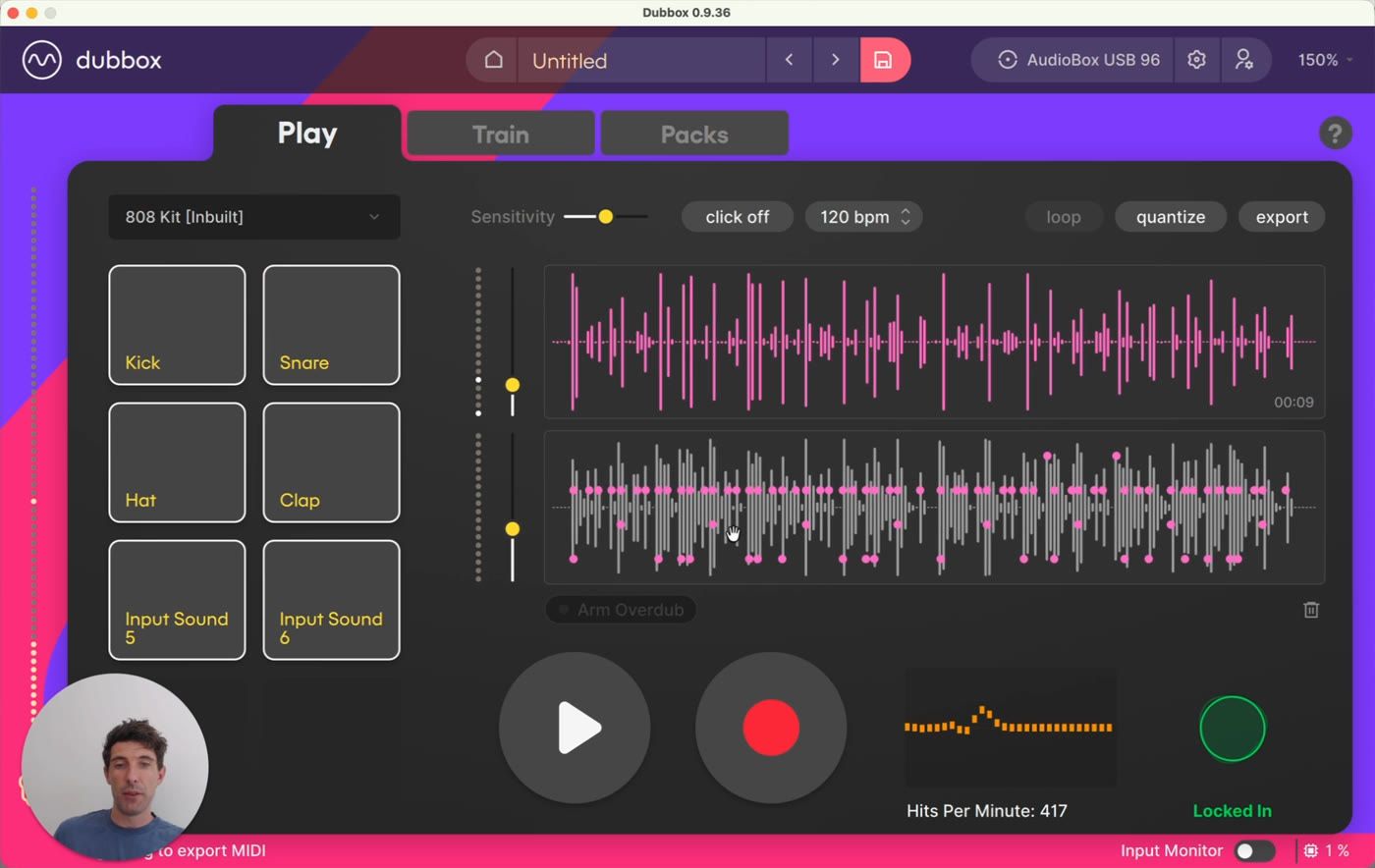
Record free takes or to a click - record with one button (or the R key), either freely or against a click track with a count-in, at any BPM
Quantize, non-destructively - DubBox assesses your take, picks an average BPM and stretches it to fit the grid perfectly; unquantize toggles it straight back
Two tracks, two faders - your input voice and the sample track are kept side by side, with independent level sliders
Take history - every take is stored; flick back through them and delete the ones you don't want
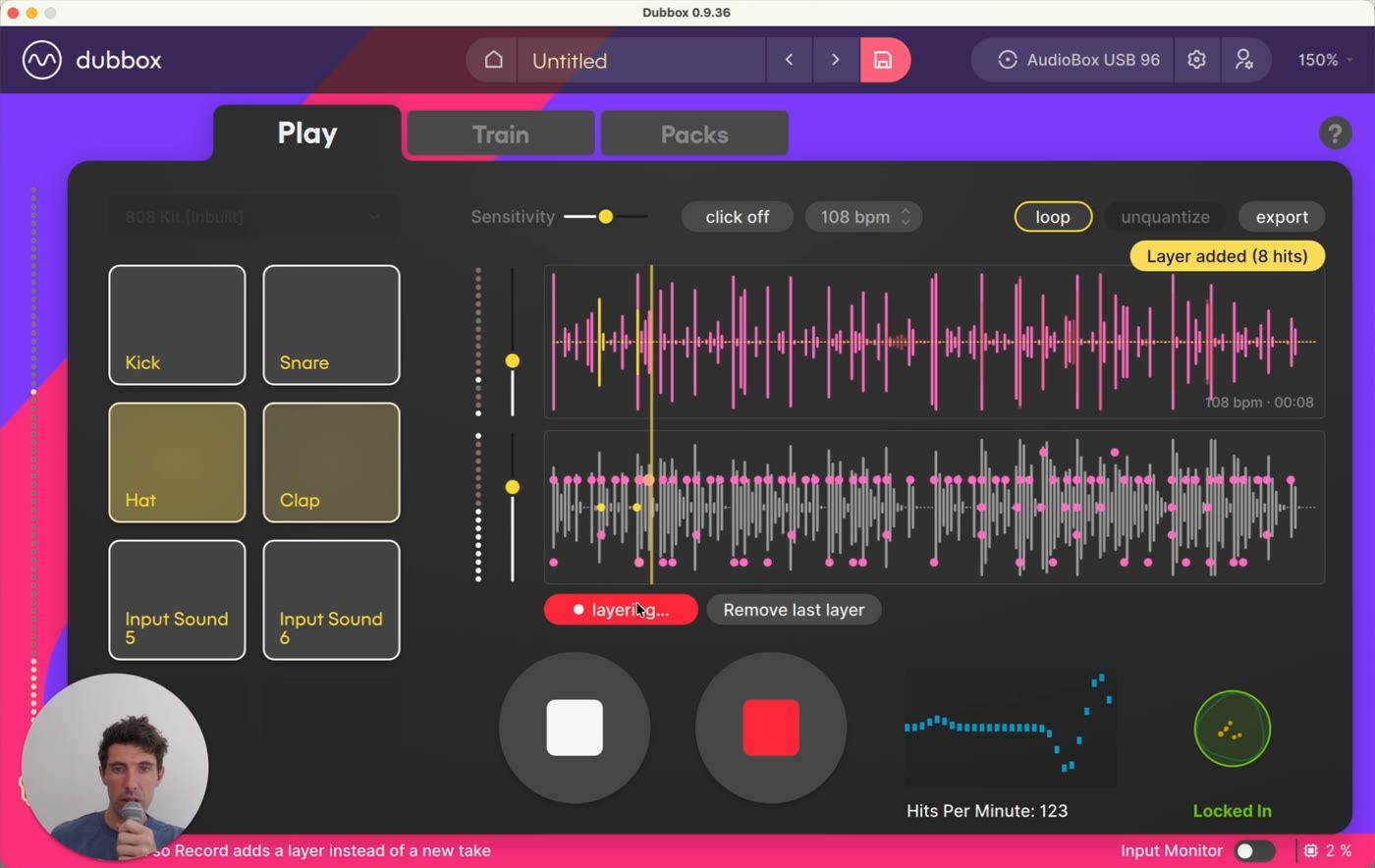
Overdub layering - loop your beat and stack layer after layer on top, with everything (voice track included) automatically quantized as you go
The Train tab - teach DubBox your sounds
Any sound you can make consistently can become a trigger. Add a trigger, record a dozen quick takes of the sound, and choose the sample it fires - done.
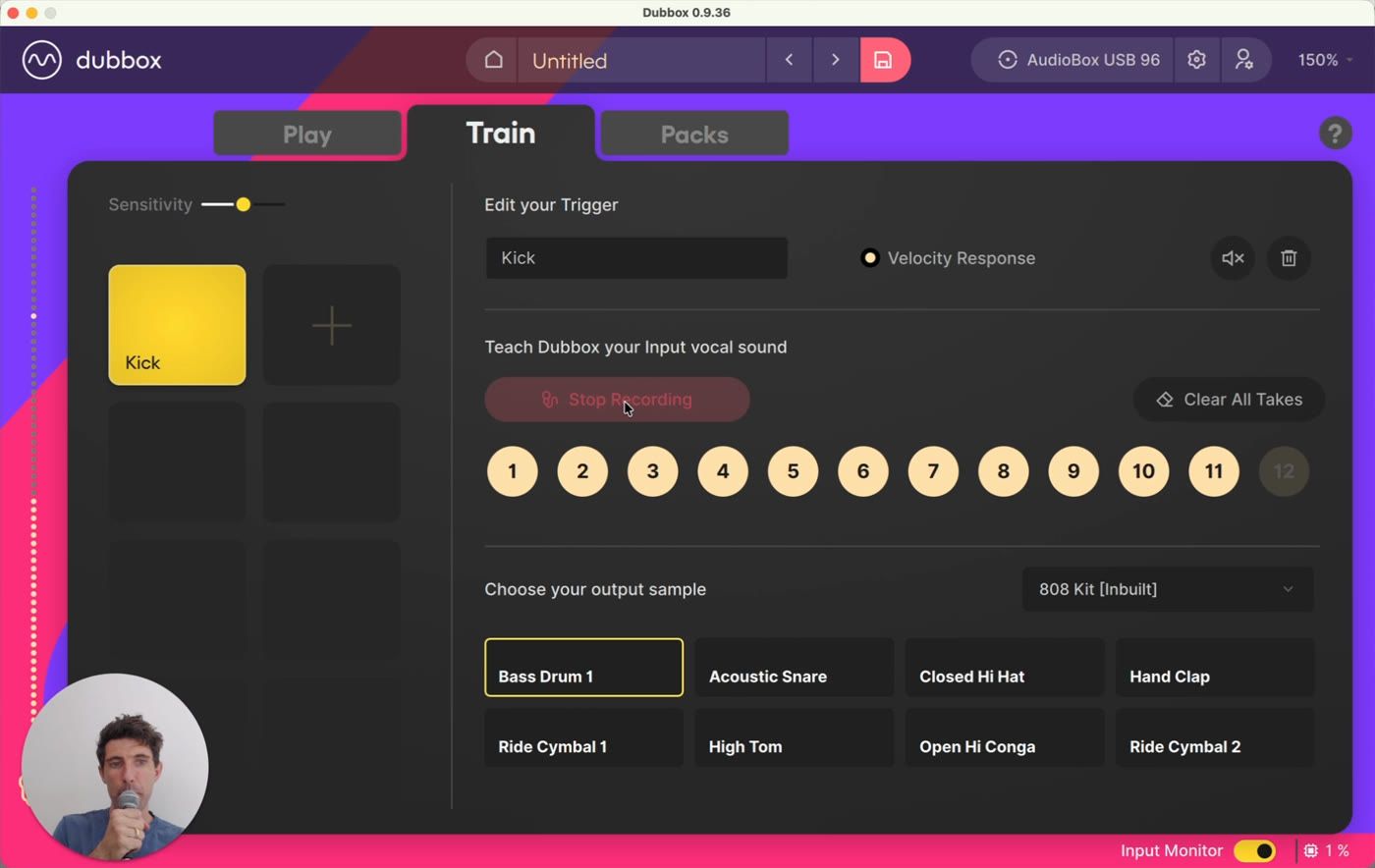
Up to eight triggers per project, each renameable
DubBox is really good at distinguishing similar sounds - a "ts" and a "k" won't get confused
One trigger can fire more than one sample at once - layer a kick and a hat under a single sound
Optional velocity response, so how hard you hit the sound shapes how hard the sample plays
Kits and the Packs tab - shape your sound
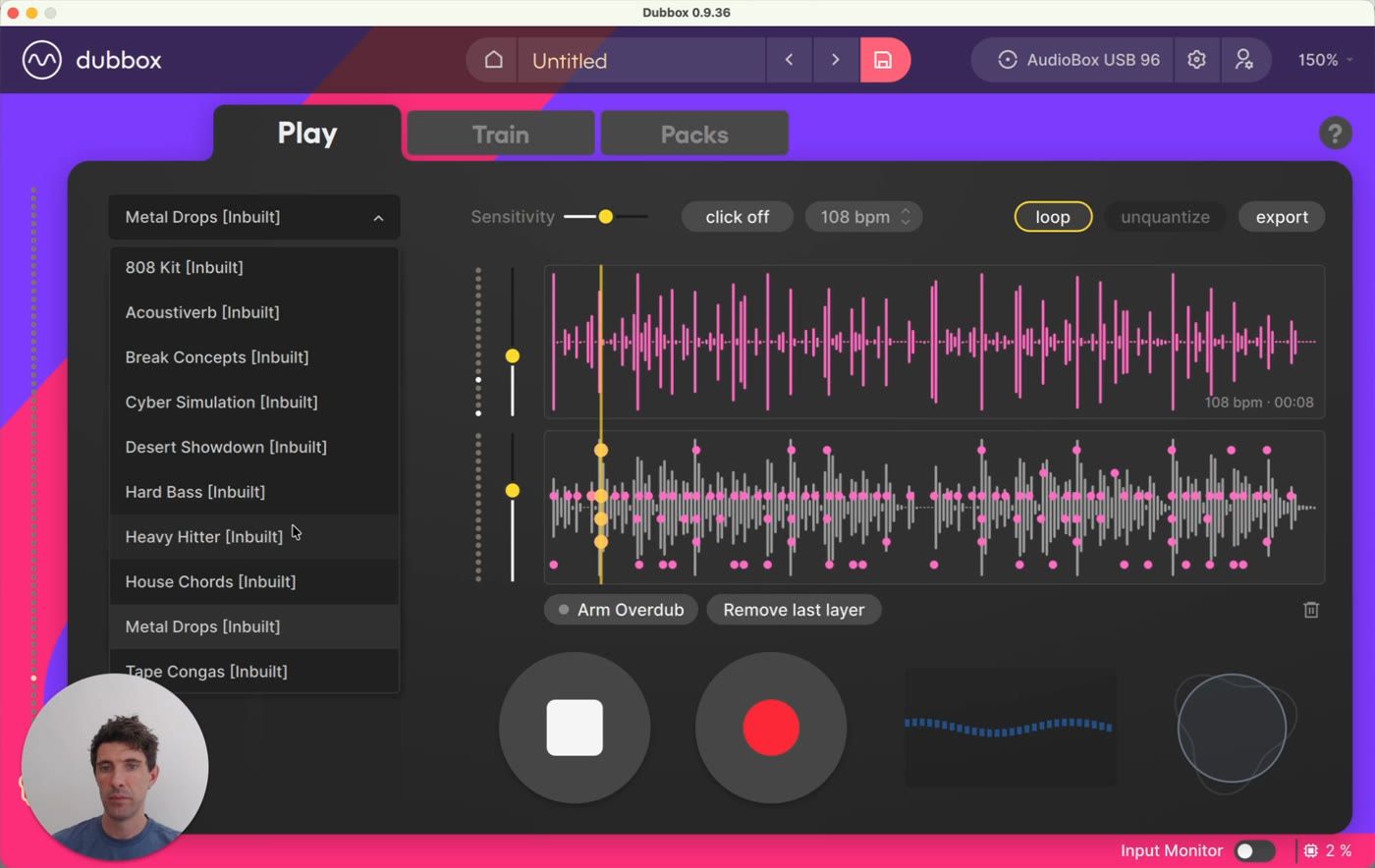
DubBox ships with ten inbuilt kits, and your beat isn't married to any of them - swap kits from the dropdown and your recorded pattern instantly plays back with the new sounds. Switching kits can completely change the character of a loop.
The Packs tab is where you go deeper. Every sample in a kit has its own settings: gain, pitch, tone and pan, low-pass and high-pass filters, drive, and adjustable start and stop points. A choke group option stops longer samples - bass notes, chord stabs - from overlapping each other.
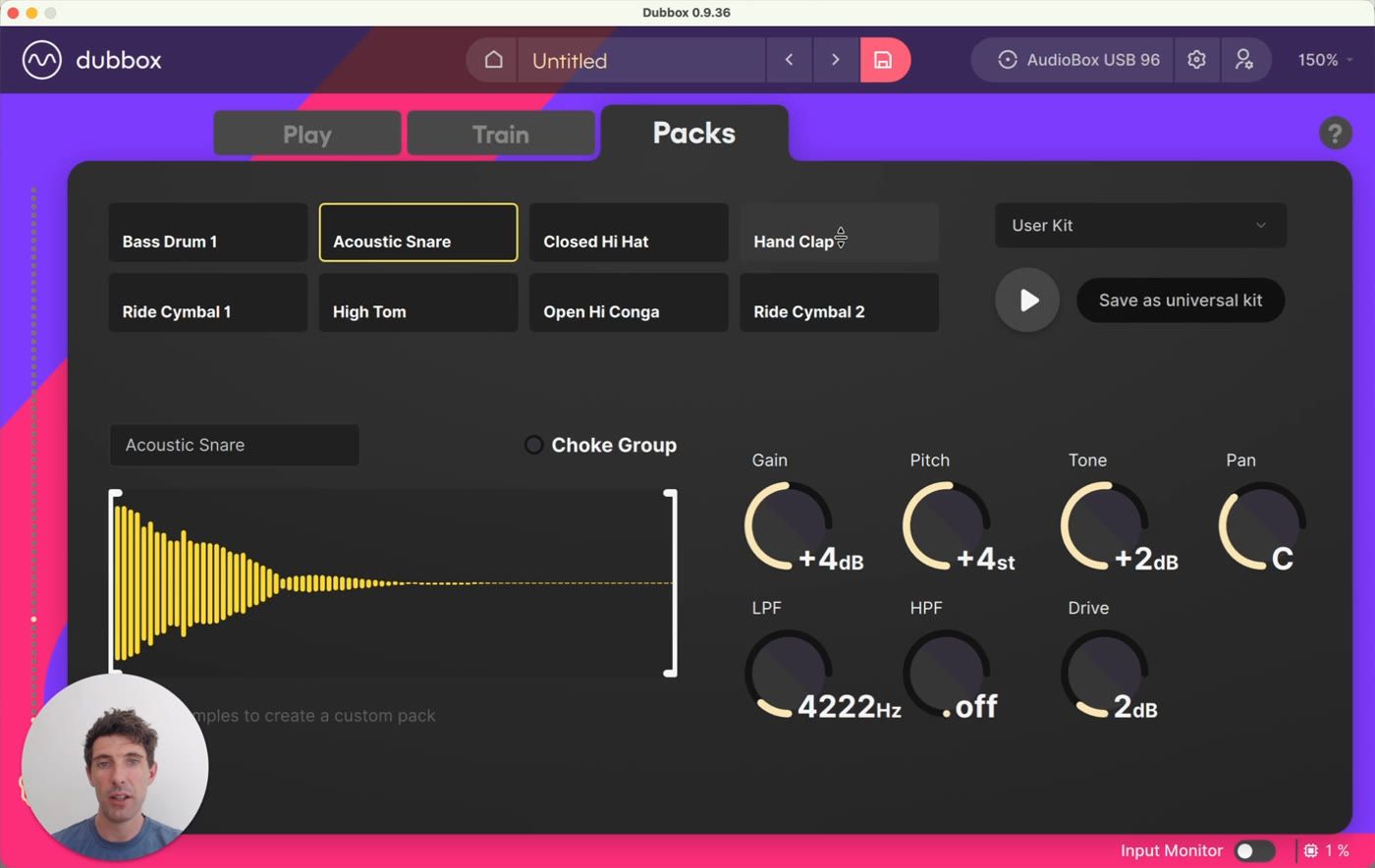
You can also build your own packs: drag any audio file onto a pad to import it, then save the result as a universal kit and it becomes available in every project.
Export - take it anywhere
When your loop is ready, export it however your workflow needs it:
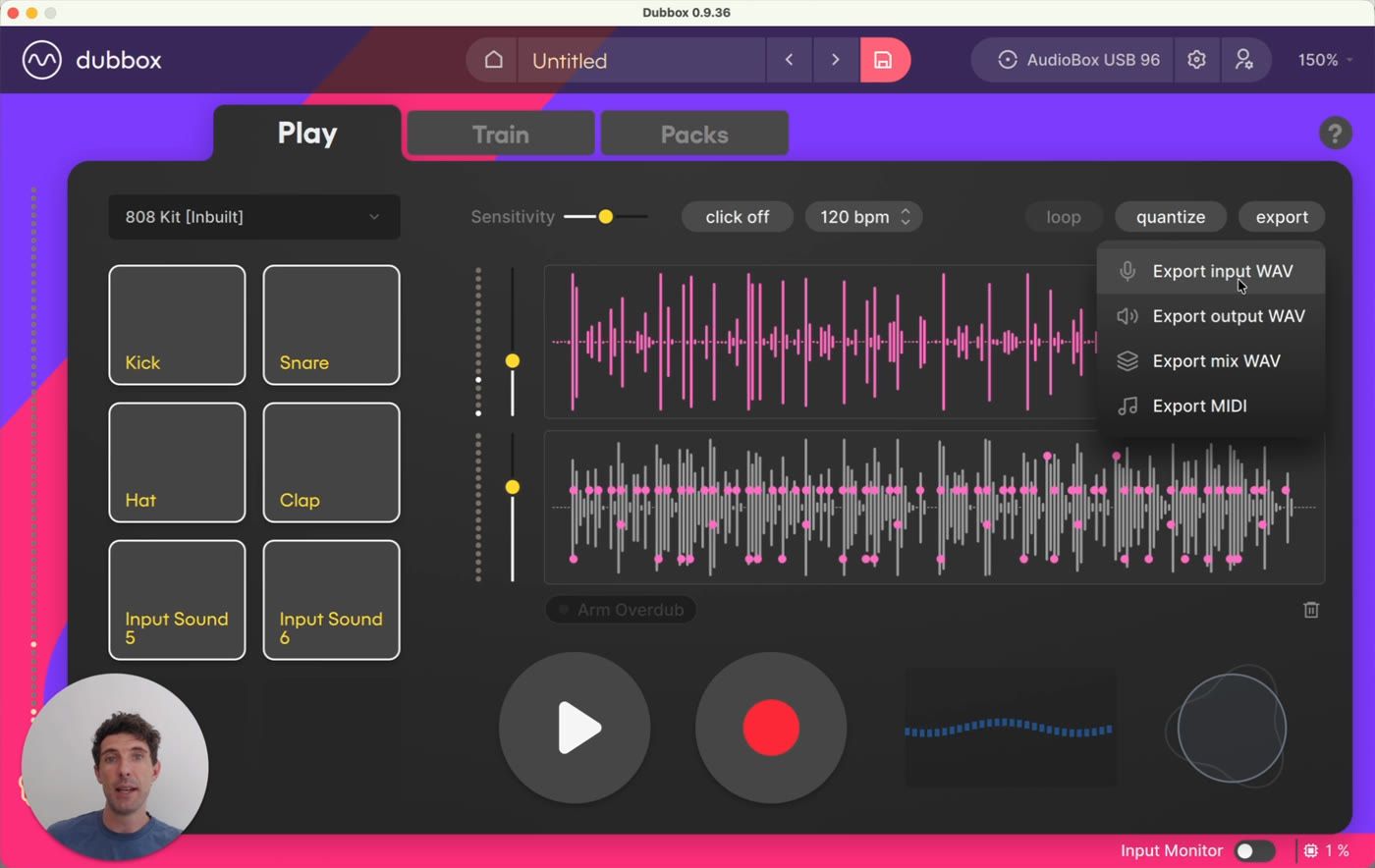
Input WAV - your layered, quantized voice performance
Output WAV - the sample track, ready to drop straight into a DAW
Mix WAV - voice and samples blended at your mixing-slider levels
MIDI - the pattern itself, to drive your own sample packs in any DAW. You can even just drag the MIDI straight out of DubBox into a folder or DAW window.
DubBox and Dubler - what's the difference?
If the interface looks familiar, that's because DubBox comes from the makers of Dubler - but they're very different products. Dubler is essentially a live MIDI controller: it sends pitch, chords, effects and percussive hits out to third-party software like your DAW in real time. DubBox is a fully contained loop and record station for beats: you record, quantize, layer and export inside one app, no DAW required.
At a glance
What it is - Standalone voice-to-drum-loop app for Mac and Windows
Input - Any percussive vocal sound - beatbox, clicks, claps. Works with any mic (dynamic mic + audio interface recommended) or the Dubler USB microphone
Triggers - Up to 8 per project, trained on your own sounds, multi-sample mapping, optional velocity response
Kits - 10 inbuilt kits, per-sample editing (gain, pitch, tone, pan, filters, drive, start/stop, choke), custom packs from your own samples, saveable as universal kits
Recording - Free takes or click with count-in, BPM control, intelligent non-destructive quantize (takes are stretched to fit the grid, not snapped), take history, loop and overdub layering
Export - Input WAV, output WAV, mix WAV, MIDI (including drag-and-drop)
Ready to try it? The Quick Start Guide takes you from fresh install to your first exported loop in about ten minutes. More tutorials and support at vochlea.com.