




Dubler 2
40,000개 이상의 스튜디오에서 사용
당신의 목소리가 곧 악기입니다. 노래하고, 흥얼거리고, 비트박스를 실시간으로 MIDI로 변환하세요 — 모든 DAW에서.
할부 가��
멜로디
라이브 보이스를
음정 MIDI로
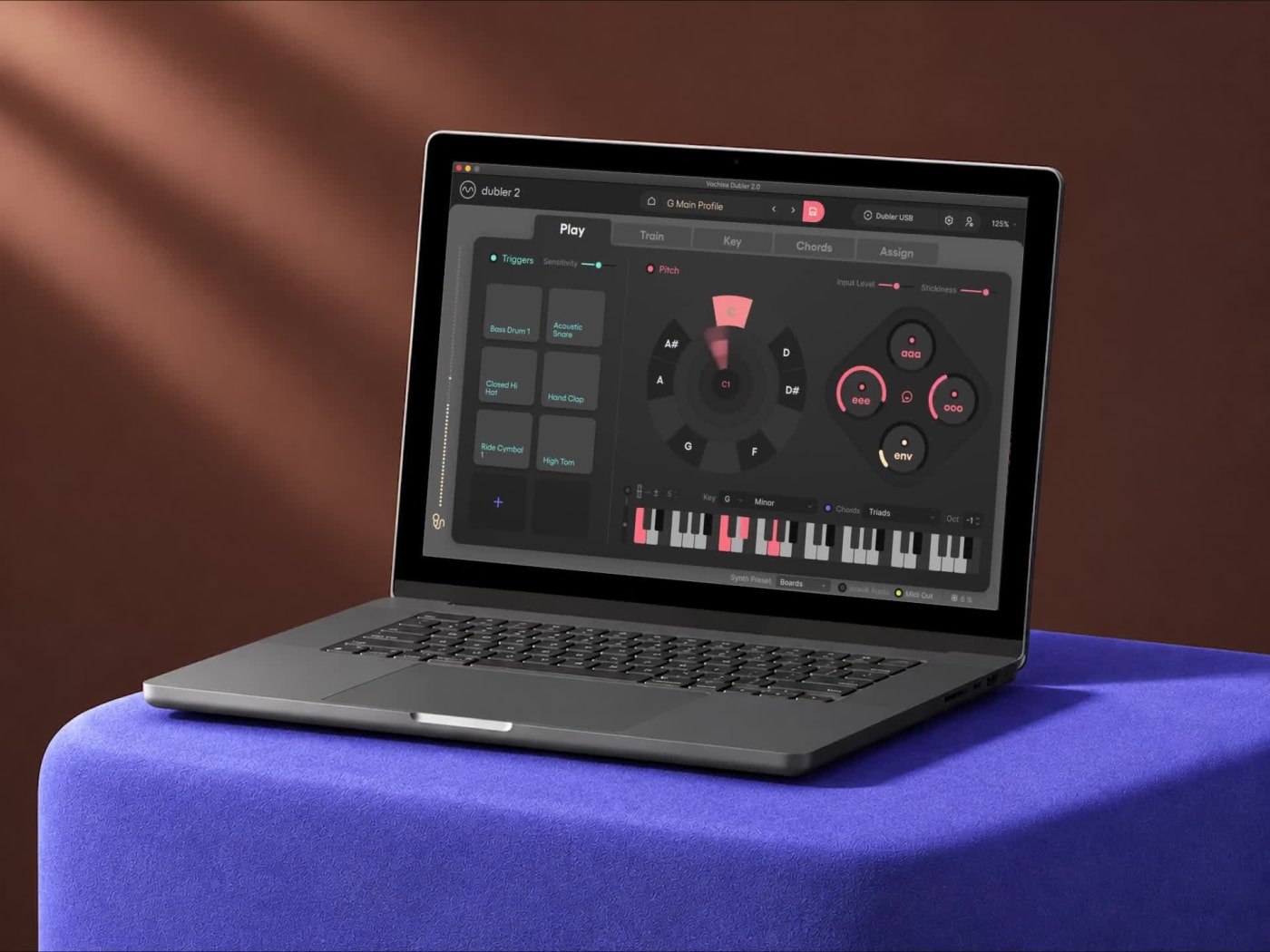
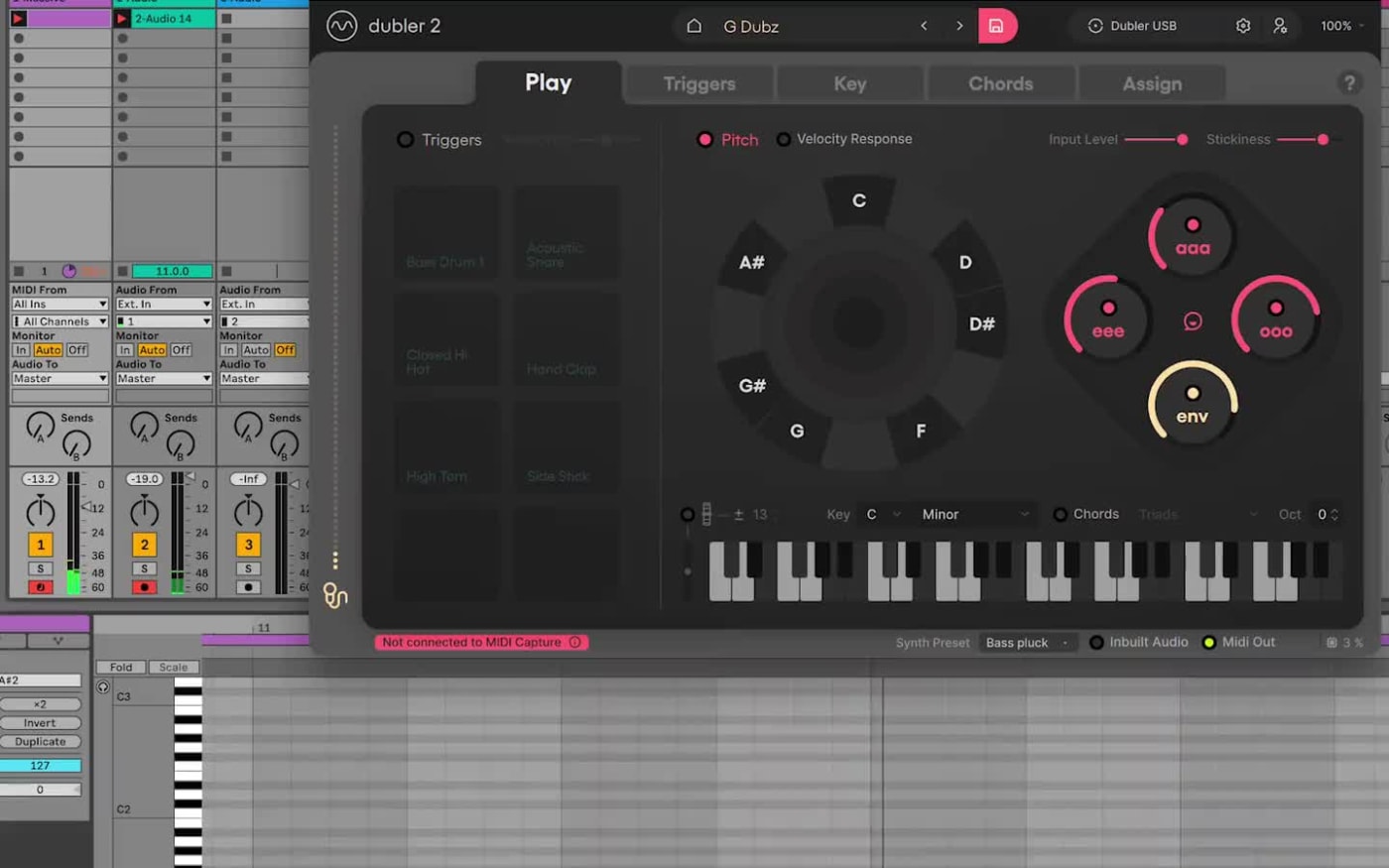
멜로디를 노래하거나 흥얼거리면 Dubler 2가 실시간으로 음정을 추적해 DAW의 신스, 샘플러, 가상 악기를 연주와 동시에 연주합니다.
- 저지연 실시간 피치 트래킹
- MIDI를 지원하는 모든 DAW에서 어떤 악기든 연주
- 노래하는 세기에 따라 벨로시티가 반응
리듬
라이브 퍼커시브
트리거
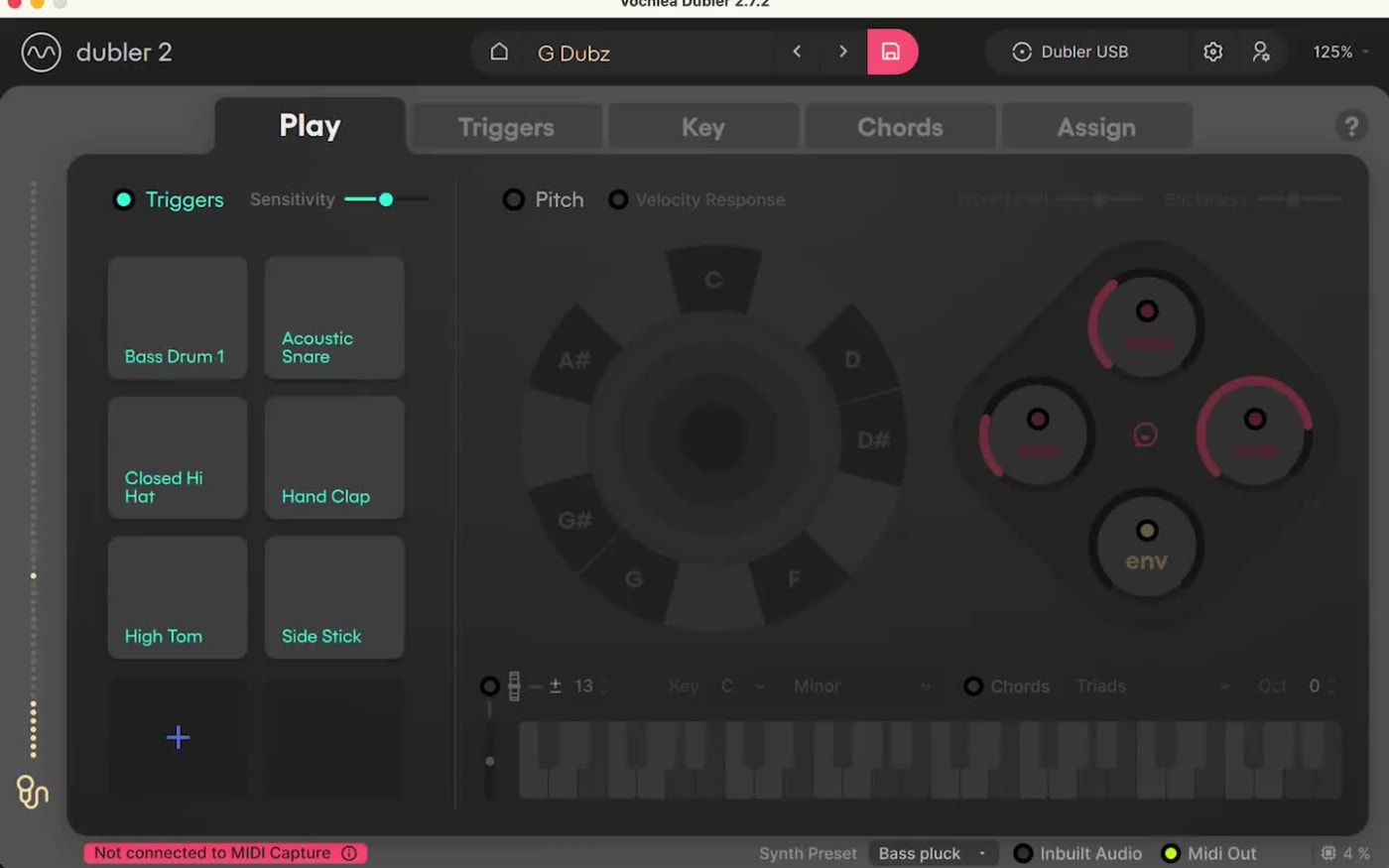
비트박스를 하면 Dubler 2가 바로 히트를 재생합니다. 나만의 킥, 스네어, 하이햇 소리로 학습시키고 각각을 원하는 샘플이나 드럼 랙에 매핑하세요.
- 나만의 퍼커시브 사운드로 학습
- 샘플, 드럼 랙 또는 하드웨어 트리거
- 벨로시티 감지로 다이내믹한 비트
하모니
고급 코드 및
키 설정
신경 쓰지 않아도 키에 맞춰 연주하세요. 부르는 키에 고정하고, 원하는 음으로 제한하고, 하나의 음을 풀 코드로 바꿀 수 있습니다.
- 자동 키 감지로 키 고정
- 내 목소리로 만드는 맞춤 음 제한
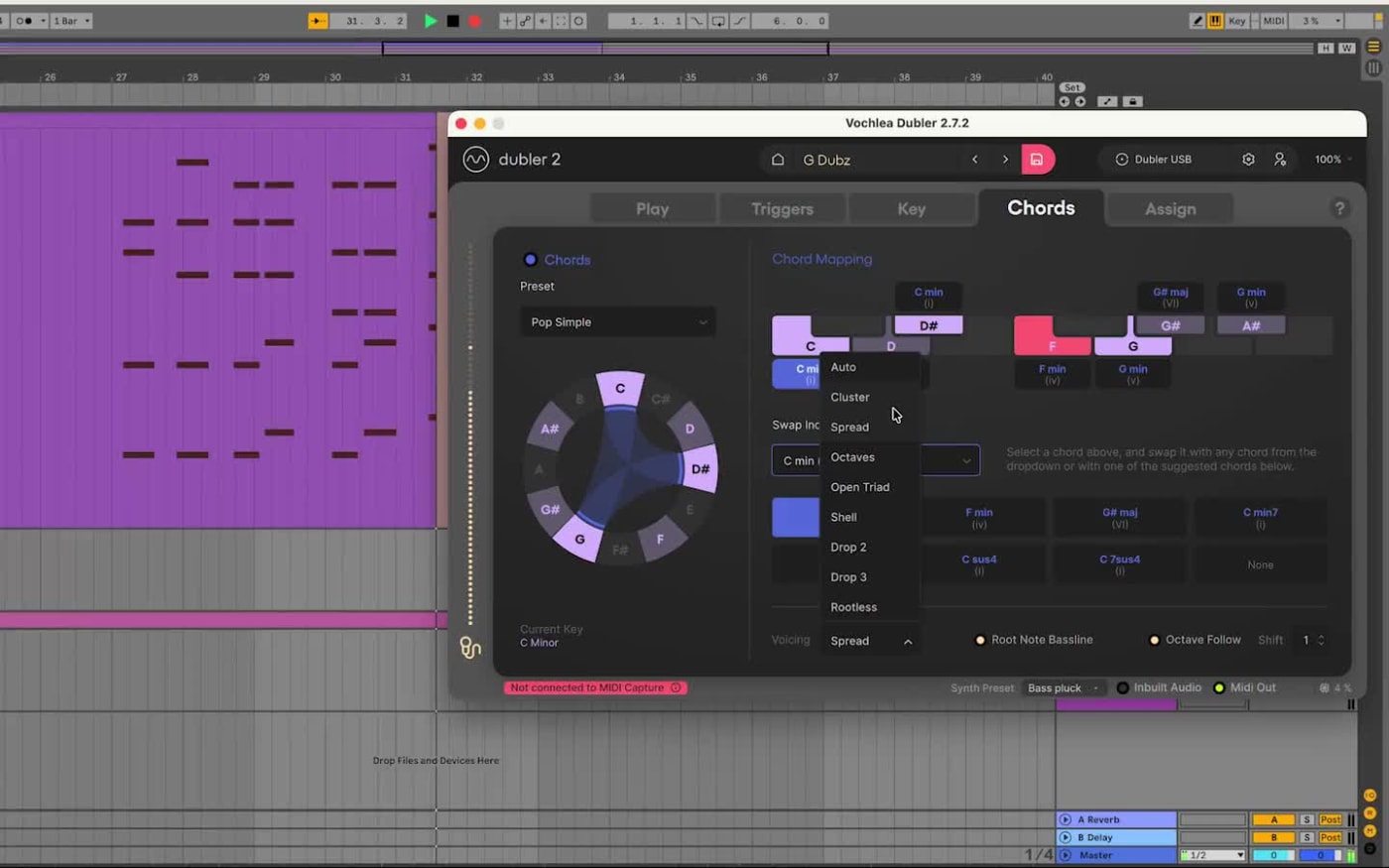
- 코드 프리셋, 보이싱, 맞춤 코드
표현력
피치 벤드 및
CC 컨트롤
목소리로 음을 벤드하고, 모음과 볼륨으로 필터, 이펙트 및 DAW의 모든 파라미터를 제어하세요.
- IntelliBend 및 TruBend 피치 벤드 모드
- 모음 소리를 CC 값에 매핑
- 모든 이펙트나 파라미터에 엔벨로프 팔로잉
더... 더블러?
당신의 목소리를 즉시 미디로 변환하세요.
월드 클래스 프로듀서들의 비트 만들기, 멜로디 쓰기, 이펙트 컨트롤 하기
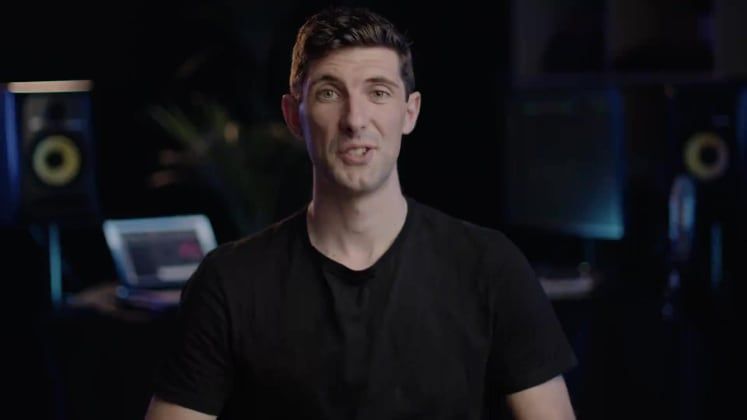
Andrew Huang이 목소리만으로 비트를 만듭니다
Andrew가 Dubler 2를 사용하여 아이디어를 DAW로 보내 리드믹한 퍼커션과 멜로딕 한 요소들로 일렉트로닉 비트를 만드는 것을 감상해보세요.
2만 7천명 이상의 뮤지션들에게 신뢰 받음
Andrew Huang, Seids, Reeps One, Vence Ray 등의 아티스트 및 프로듀서들이 사용하는 Dubler 2를 감상해 보세요.


스마트한 인식 기능직관적인 컨트롤통합된 워크플로우
여러분의 목소리가 악기가 됩니다
피치 트래킹
Dubler의 AI기반 기술은 목소리의 피치를 인식하여 미디 노트로 실시간에 변환 시켜줍니다.
타악기 소리 인식
Dubler타악기류의 소리를 들었을때 자동으로 드럼 또는 드럼 트랙을 트리거 하도록 를 학습 시키실 수 있습니다.
코드 생성
코드 프리셋 및 음성 재현 기능 라이브러리와 커스텀 코드 제작 가능.
자동 키 감지 기능
Dubler 2의 자동 키 감지 기능은 노래하는 음을 인식하여 해당 키에 자동 고정을 시켜주는 기능입니다.
음성 인식
Dubler의 음 인식 기능을 통해 음을 어떻게 제한 하는지 등 세부적인 사용자 지정을 하여 더 쉽고 빠르고 직관적으로 미디를 컨트롤 하실 수 있습니다.
피치밴드 제어
Dubler 2에는 두가지의 피치밴드 기능이 탑재되어 있습니다. 인텔리밴드 - 원하는 노트에 고정을 시켜 그 음을 유지하는 기능 또는 트루밴드 - 목소리를 가장 정확하게 인식하는 기능을 사용하실 수 있습니다.
이펙트 및 파라미터 제어
모음 및 목소리의 음질을 CC값으로 변환해 DAW내의 이펙트와 파라미터들을 컨트롤 할 수 있습니다
벨로시티 인식
Dubler는 비트 또는 멜로디의 벨로시티도 인식을 하여 아이디어를 동적으로 또 실시간으로 기록하실 수 있습니다.
엔벨로프 기능
DAW 사용을 통해 목소리의 엔벨로프 값을 이펙트 또는 파라미터에 매핑하여 다채로운 표현을 하실 수 있습니다.
클린 업 컴패니언 플러그인
MIDI 캡쳐 플러그인이 클리닝 알고리즘을 활용하여 고스트 노트들과 멜로디에 남아 있는 레이턴시를 정리해 드립니다.
실시간 로우 레이턴시
Dubler 2는 레이턴시가 낮아 라이브 퍼포먼스에도 적합합니다.
모든 DAW와 호환 가능
Dubler 2는 미디 컨트롤러를 사용하실 수 있는 어떤 DAW와도 호환이 가능합니다.
외장 미디 하드웨어 호환
즐겨쓰는 드럼머신 또는 신디자이저를 Dubler 프로그램에 연결하여 목소리로 컨트롤 하실 수 있습니다 (미디 출력 포트 요구).
두 가지 녹음 방법
DAW에 라이브로 녹음
Dubler 2는 MIDI 입력으로 표시됩니다. 트랙을 녹음 대기로 설정하고 노트, 피치밴드, 엔벨로프, CC, 벨로시티를 녹음하세요. 모노포닉과 코드 모두 지원합니다.
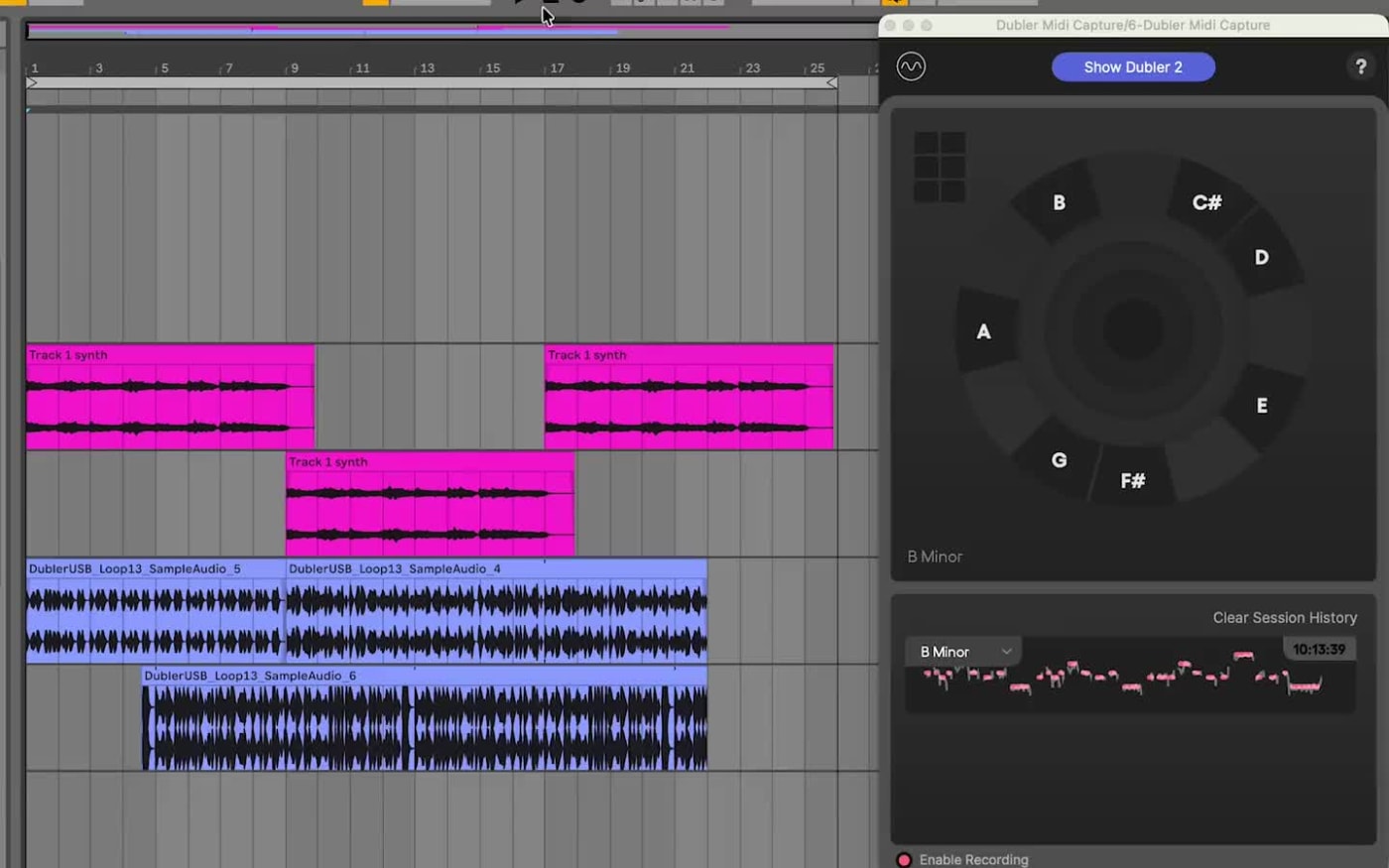
MIDI Capture 플러그인 사용
플러그인에서 녹음하고, 깔끔한 MIDI를 원하는 트랙에 드래그하세요. 모노포닉 피치, 코드, 트리거 모두 지원합니다.
시스템 스펙
- 운영 체제 *
- macOS X 10.14+** · Windows 10 이상
- 프로세서
- 인텔 코어 i5 CPU 이상
- 메모리
- 8GB 램 이상
- 디스크 여유 공간
- 100MB의 디스크 여유공간
- 그래픽카드
- OpenGL 지원 이상
- 오디오 (윈도즈 한정)
- 전용 ASIO 드라이버가 내장된 오디오 인터페이스(권장) ASIO4ALL(사용경험이 제한될수 있음)
- DAW 사용 가능
- 사용 가능한 에이블톤, 로직, 개러지밴드, 큐베이스등의 DAW
- 마이크
- 외장 다이나믹 마이크
- 인터넷 연결
- 인터넷 연결(다운로드, 업데이트 및 활성화시 필요 - Dubler 사용에는 인터넷 연결이 필요하지 않음)
* Dubler는 현재 Windows에서 Pro Tools와 함께 사용하는 Avid 하드웨어의 입력을 감지할 수 없습니다. FAQ에서 자세히 알아보기
** Dubler 2 Studio Kit에 포함된 Ableton Live Lite는 최소 사양이 다르며, 이 사양은 여기에서 확인할 수 있습니다.
Dubler 2 VS 다른 컨트롤러들
모든 레벨의 사람들을 위해 만들어졌습니다: 월드클래스 프로듀서 부터 열정적인 학생들까지.
| Feature | Dubler 2 | MIDI 키보드 | MPC 컨트롤러 |
|---|---|---|---|
| 보이스 인풋 | Yes | No | No |
| 높은 표현력 | Yes | No | No |
| 용이한 휴대성 | Yes | Yes | Yes |
| 낮은 러닝 커브 | Yes | No | No |
| 실시간 컨트롤 | Yes | Yes | Yes |
| 뛰어난 접근성 | Yes | No | No |
| MIDI 호환성 | Yes | Yes | Yes |
| 무의식적인 워크플로우 | Yes | No | No |
Frequently Asked Questions (FAQ)
Find the answers to all your questions here.
Is there a trial
There isn't currently a trial for the software. However there is a 30 day return window for the studio kit and a 14 day window for the software only version, so if you do purchase and decide it's not for you, you can return it for a full refund. You can see our full return terms here.
What is MIDI Capture?
MIDI Capture is a companion plugin to the Dubler app. The MIDI Capture plugin automatically connects and syncs to the Dubler 2 application - and records your melodies directly within the plugin. MIDI Capture then applies a cleaning algorithm, minimising the need to clean up unintended ghost notes and speeding up your workflow.
How is Dubler different to converting audio to MIDI in my DAW?
What we do is very different to most audio to MIDI solutions available in DAWs. Dubler isn’t just pitch-to-midi. With Dubler we use (and learn) all the timbral qualities of your voice. This means you can: accurately trigger a wide range of samples, control pitched instruments, apply pitch bend, control envelope, velocity and 4 CC values simultaneously. The biggest difference is that we do all of this live, meaning you can hear your voice as any instrument or drum kit in real time. Other solutions out there are done post processing.
What is the return period?
For purchases made for digital products through the Vochlea online store, we offer a 14-day return policy. For purchases made for physical products through the Vochlea online store, we offer a 30-day return policy. You can see our full return policy here.
How does the Win Dubler 2 competition work?
To enter the “Win Dubler 2” competition, sign up through the pop-up on our homepage. Each month, we draw a winner from that month’s sign-ups. You can only enter once through this method. However, keep an eye on our social media channels for additional giveaway competitions. Winners will be contacted via email at the beginning of the following month.
What is latency like?
For more information on latency, please see our help pages: Latency We have frequent cycles of latency reduction— and it changes depending on your personal set-up. Audio latency refers to a short period of delay (usually measured in milliseconds) between when an audio signal enters and when it emerges from a system. With the Dubler, this will be the time between you making a note with your voice, and when you hear the sound come from your system. Dubler Studio Kits latency is below the audible range, and we’ve yet to hear any complaints of it being noticeable in anyone’s workflow when Dubler is set-up correctly. That includes testing with a wide range of professional musicians. Please note, that while it’s possible to reduce latency, it’s impossible to eliminate it entirely.
Can I use it in any DAW?
Yes, Dubler works with any DAW that takes MIDI input. Think of Dubler like a MIDI controller but one that uses your voice rather than your hands.
What are the minimum specs to run Dubler 2?
To run Dubler 2 you will need a device that has either MacOS 10.13+ or Windows 10+ with the following specs Processor: Intel Core i5 CPU or better Memory: 8GB RAM or more Free disk space: 100MB free disk space Graphics: OpenGL-capable graphics Audio (Windows only) Audio interface with multi-client ASIO Drivers (recommended) ASIO4ALL (limited experience) Look here to see Is my interface compatible with Dubler 2? DAW access Access to a DAW [Digital Audio Workstation] such as Ableton, Logic, GarageBand, Cubase, etc... (Dubler Studio Kit comes with a licence for Ableton Live Lite) To use MIDI Capture the DAW must also support VST3 or AU Plugins Microphone External dynamic microphone (Dubler Studio Kit comes with an external USB dynamic microphone) Internet access Internet connection (for downloads, updates and activation only - a maintained internet connection is not required to use Dubler) You can do a quiz to find out if your setup is compatible here
Do I need to be connected to the internet?
An internet connection is required just for the first time to initially login. Once this is done you can use Dubler without an internet connection, you will only need to login again if using Dubler on a different machine.
Can I use my own mic?
Yes! Dubler 2 has a calibration process that allows a user to choose their own microphone as the input device and then calibrate it. We always reccomend using a dynamic microphone with Dubler 2.
How many computers can i install Dubler on?
You can download the software on up to three computers, you'll just need to login again when using it on a new machine. Only one instance of Dubler can be running at a time, so you can't use it on two machines simultaneously.
Is Dubler compitable with Apple Silicon Macs?
Yes, Dubler has been tested and runs natively on all Apple Silicon chips
Is my interface compatible?
Dubler works with all audio interfaces on Mac. If you're on Windows your audio interface will need dedicated ASIO drivers, these can be found on the manufacturer's website. Some ASIO drivers do not allow for multi-client use, meaning only one app can use the driver at a time. If this is the case then only your DAW or Dubler can use the driver, but not both simultaneously. You can check if your driver supports multi-client use on the manufacturer's website. If you're unsure on whether your interface as multi-client drivers you can contact us here. If you are using the Dubler mic you can use any audio interface as the output in your DAW, as the driver will not be needed as an input in Dubler. ✓ Recommended interfaces • Focusrite Scarlett Range — Focusrite offer a wide range of interfaces, that all come with fully compatible drivers • M-Audio M-Track Solo — An entry level budget interface that comes with fully compatible ASIO drivers for Windows users ✖ Incompatible interfaces / setups • Steinberg UR series (Windows) — Steinberg UR series ASIO drivers are not multi-client, meaning both Dubler and a DAW can not use them simultaenously. (This will not be an issue if you are using the Dubler mic as this uses a separate ASIO driver for input) • Avid Hardware when used in conjunction with ProTools (Windows) — ProTools takes exclusive control of the drivers when in use. (Not an issue if using the Dubler USB mic) • Yamaha Interfaces — The Yamaha USB ASIO drivers are not multi-client meaning both Dubler and a DAW can not use them simultaneously. (This will not be an issue if you are using the Dubler mic as this uses a separate ASIO driver for input) If your interface does not come with it's own ASIO driver, or does not support multi-client use, you can use ASIO4ALL as a workaround. You can find out more about how ASIO4ALL works on our help page here. Disclaimer - An audio interface that provides its own ASIO driver usually performs better than using ASIO4ALL with a generic audio interface. Whilst ASIO4ALL has been fully tested with Dubler, it is not officially linked to Vochlea nor is it the recommended setup.
Can I use MIDI Capture in any DAW?
The MIDI Capture plugin is compatible with all DAWs that support VST3 and AU format plugins. Currently MIDI Capture does not work with Pro-Tools as they do not support these formats.
Why should I use a dynamic mic?
Dynamic mics are preferable for our use case as they are more suited to pick up focused signal sound, and consequently pick up less background sound. We’re interested in just the detectable triggers and pitch sounds from your voice so a dynamic mic helps eliminate any other sounds that might interfere with detection.
Can I use something other than my voice as an input?
We’re focused on the voice, as it’s our natural tool for audio expression, but there is scope to experiment with all sorts of audio inputs— including other instruments, or clicking, clapping or stamping your feet! We stress that whilst you can use other audio sources as an input, this is purely experimental and the results can vary depending on what you use.
How long does shipping take?
If you are ordering to the United Kingdom your purchase will be sent via Royal Mail using their tracked 48-hour courier service. The dispatch date is typically same day or next working day. For orders placed outside of the U.K. we ship by international courier. Delivery times vary depending on geography. Typically, deliveries to Germany takes 2-3 days, the rest of Europe takes 5-7 days and 7-10 days to the U.S. Please note that the current outbreak of Covid-19 has the potential to impact delivery services. Postal service disruption varies by country. We are currently processing shipments as normal, however a few select countries have placed restrictions on incoming goods. If in doubt please get in touch. All our shipments include a delivery tracking number.
How can I track my order?
All tracking information will be sent to the email used at checkout once your order has been dispatched. If you do not receive any tracking information after 2 working days please contact support at help@vochlea.co.uk
Where do we ship?
We currently ship to the following countries: United Kingdom, United States of America, Canada, Australia, New Zealand, Switzerland, Norway and the European Union .We don't currently ship to the Canary Islands or Greece.
Can I buy Dubler as a gift?
The Dubler Studio Kit can be purchased as a gift at checkout. If you're purchasing the software only version you can transfer the licence to someone else after purchase. Just complete the purchase and then contact support at help@vochlea.co.uk to transfer the licence. If you have purchased Dubler 2 Studio kit during our Black Friday sale as a gift, we will be happy to extend the return window during the Christmas period up until Monday 8th January 2024. Any license activations made before the 15th December are not included in this extended return period.
Where can I find my invoice?
You can download an invoice via the orders section of your account here.
Do you offer split payments?
We currently offer split payments in the UK, Canada and the United States. Klarna is available to customers based in the UK and Sezzle is available to customers based in Canada and the United States.
How can I update my email address?
To update your Vochlea account email please contact us here.
Where's my serial code?
A serial code is only needed if you have purchased the Dubler Studio Kit as a gift or from a retailer. In this case the serial code will be on a card inside the box. All other licenses are attached automatically to the Vochlea account created with the email provided at checkout
클럽 가입
최신 정보, 튜토리얼, 아티스트 콜라보등의 정보를 업데이트 받으시려면 이메일 주소를 입력하십시오.
프레스에서

“일렉트로닉 음악을 하는 보컬리스트들에게 Dubler 2는 창의적인 프로세스를 변화시킬 수 있는 잠재력이 있습니다.”

“빠르게 아이디어를 써내려가고 싶은데 MIDI 컨트롤러는 연결하고 싶지 않을때, Dubler 2는 숙련도나 도구의 제약을 받지 않고 새로운 인터페이스를 만들 수 있는 가장 좋은 방법입니다.”

“오직 목소리만으로 가상 악기를 사용하기 편하고 정말 재밌게 컨트롤 할수 있는 첫번째 시스템”

“멜로디, 코드 진행, 드럼 비트를 '전통적인' 방식으로 쓰기 힘든 사람들에게 믿을 수 없을 정도로 가치 있는 도구입니다. 창의력을 북돋음과 동시에 정말 재미있습니다!”